
Available duties in My Capitech
What are available duties?
Available duties are shifts that your employer has made available to employees.
You can submit a request for an available duty. Your manager can see your request and decides who will be assigned the duty.
How to view available duties
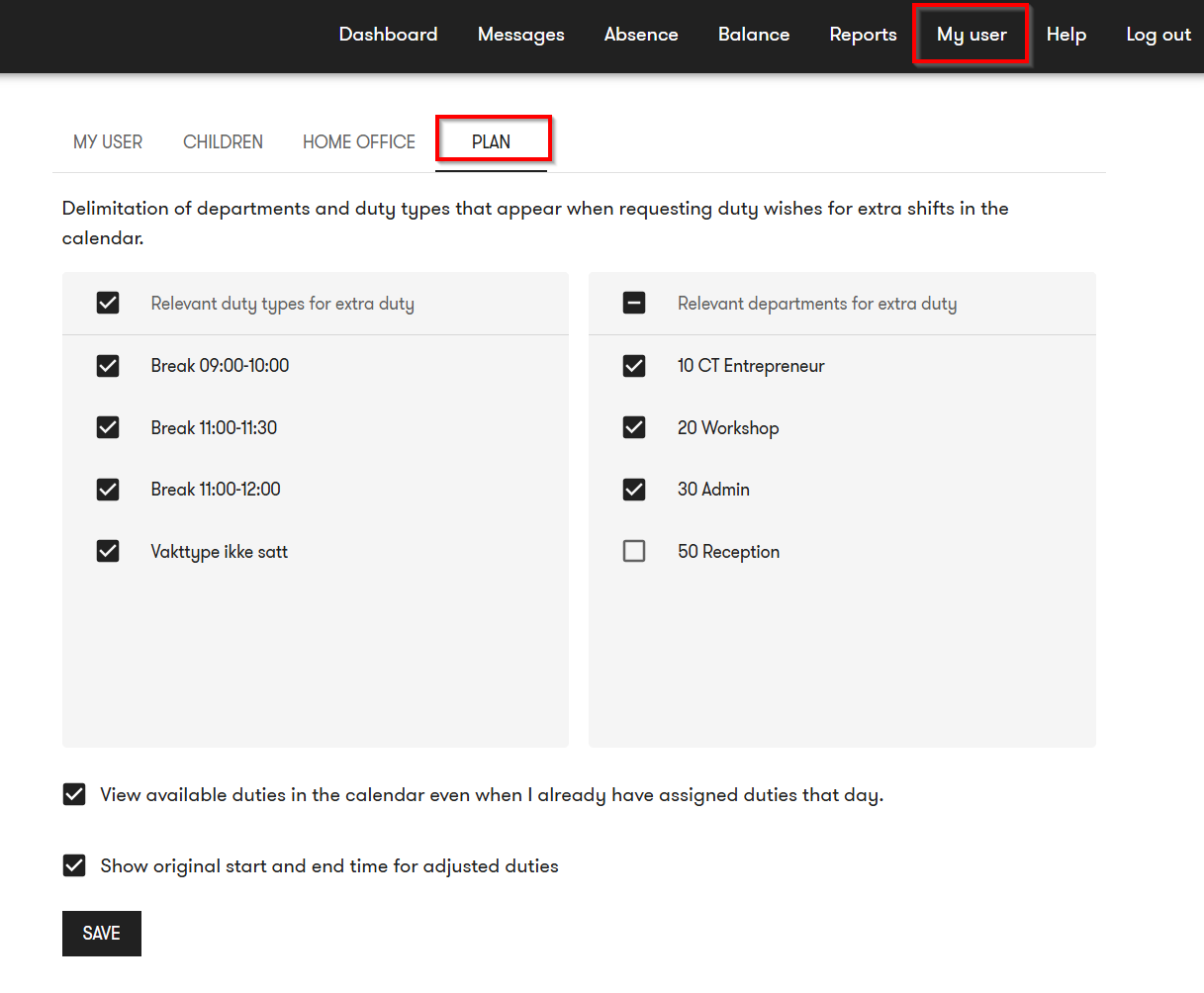
You can choose which duty types and departments you want to see in the calendar.
Follow these steps:
- Open the My user menu.
- Go to the Plan tab.
- Select the departments and duty types you want to see.
- Save your changes.
- Turn on the filter for available duties at the bottom of the dashboard.
The filter controls which available duties are shown in your calendar.
How to request an available duty
- Find the available duty in the calendar in your Dashboard.
- Select the duty.
- Select Request duty.
- Add a comment if needed.
- Submit the request.
Your manager can see your comment when assigning the duty.
Why can’t you see available duties?
If you cannot see any available duties, this may be because:
- your organization does not use the planning module
- the planning module has not been enabled for you
- there are no available duties during the selected period
- your filter is hiding relevant duties
- you do not have access to the department associated with the duties
Frequently asked questions
How do I request an available duty?
Select the available duty in the calendar and select Request duty. You can add a comment before submitting the request.
Why can’t I see available duties in My Capitech?
Available duties are only shown if your organization uses the planning module, the feature has been enabled for you, and there are available duties that you have permission to view.
Can I choose which available duties I want to see?
Yes. You can change which duties and departments are shown under My user - Plan.
Can my manager see my comment?
Yes. Your manager can see the comment when reviewing the request and assigning the duty.