
Locations
What is a location?
Location is used when you want to register time at specific geographical sites, such as workplaces, department sites, buildings, or other physical locations in your organization.
When the Location dimension is enabled, location can be made available for time registration in Capitech Flow and My Capitech.
Where do you enable location?
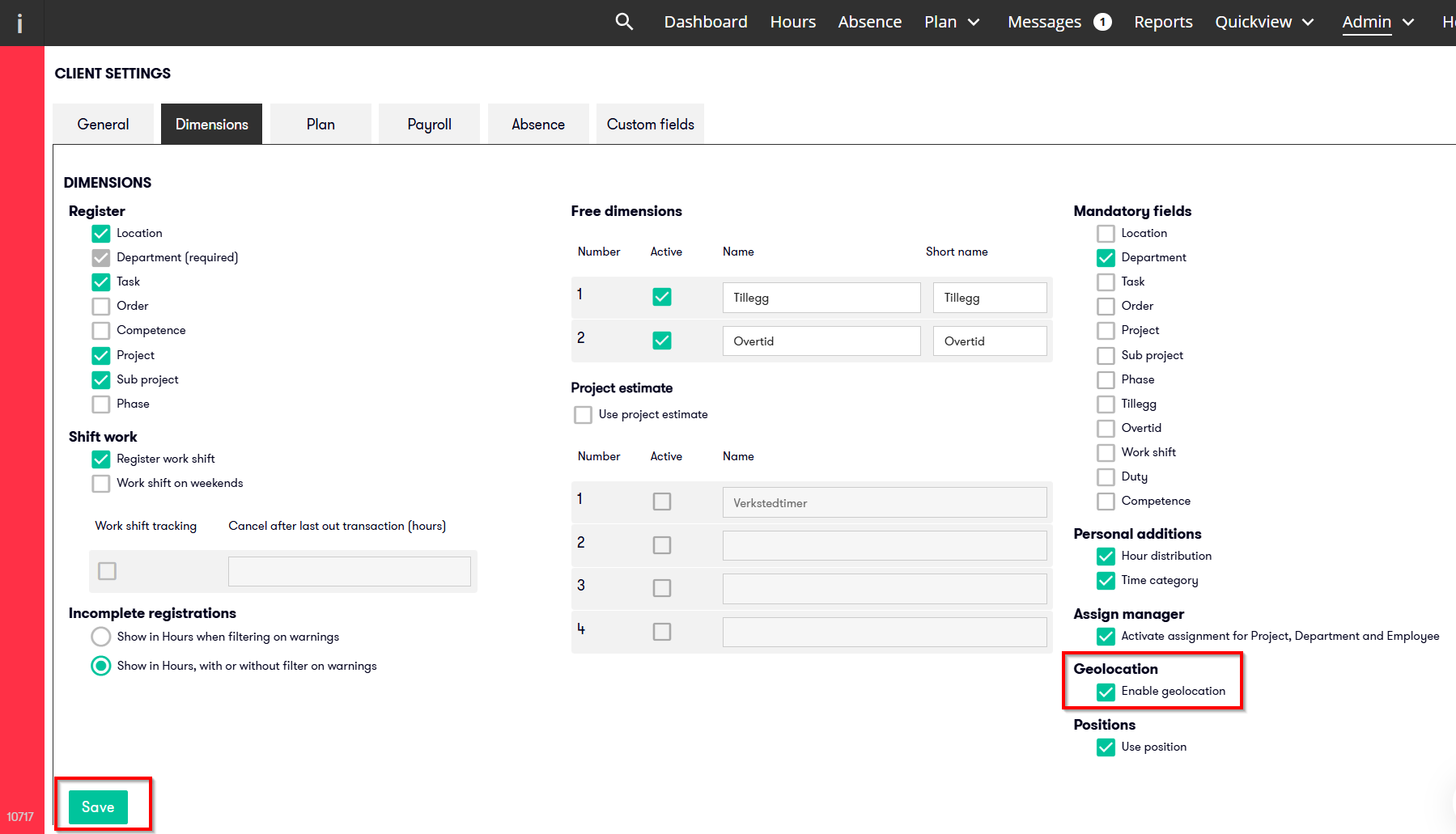
Enable the location dimension here:
Admin - Client settings - Dimensions
Tick Enable geolocation to make location available as a dimension.
Once this is enabled, you can create and maintain locations here:
Admin - Dimensions - Location
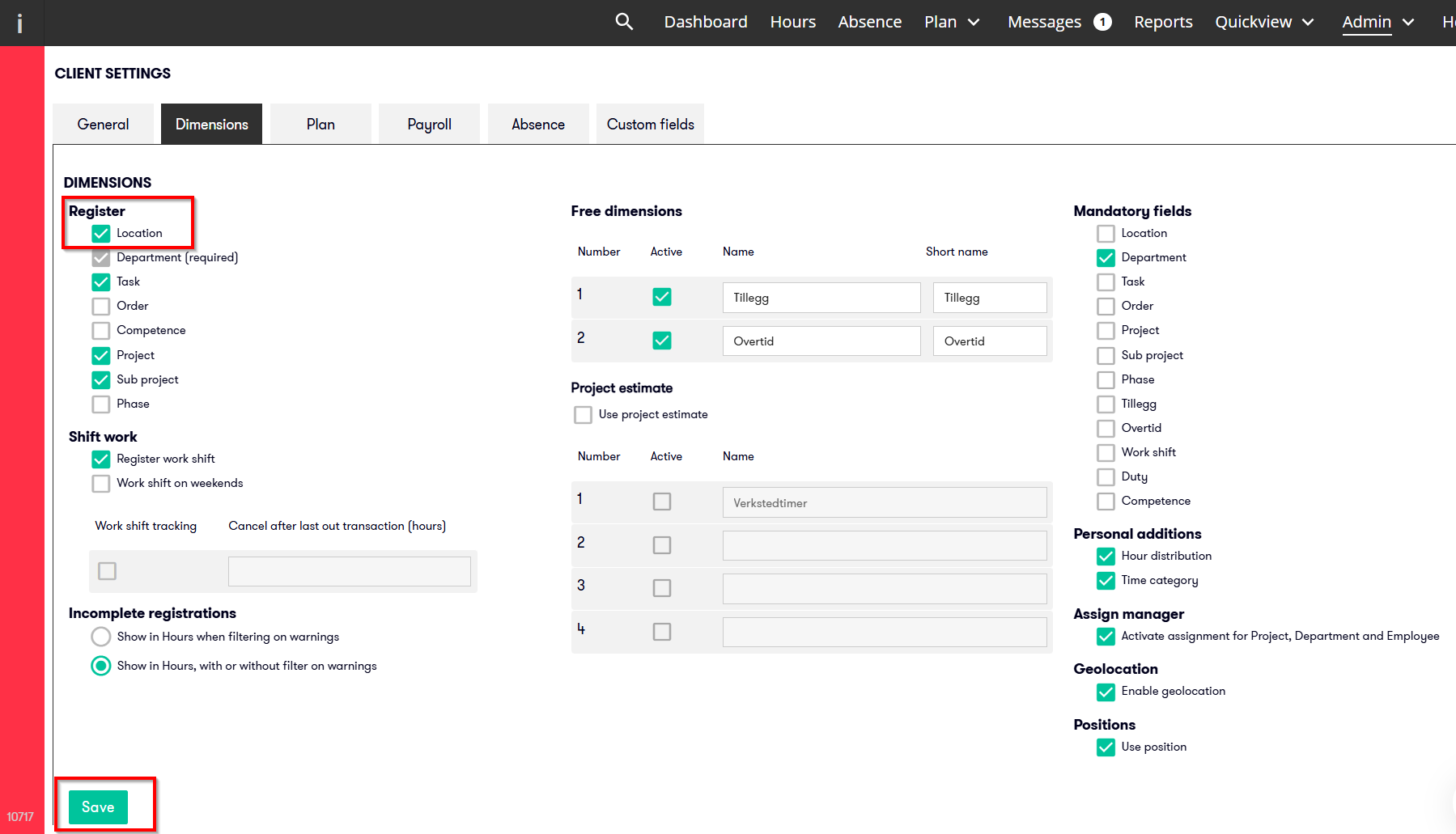
What does Register location mean?
The option Register location makes the dimension Location available in the solution.
When the option is activated, you can:
- create locations
- use location on time registrations
- make location available in Capitech Flow and Min Capitech
What does Enable geolocation mean?
The Enable geolocation setting allows My Capitech to ask employees for permission to access their location when they register time.
If an employee grants permission, My Capitech can use their position to suggest or enter the correct location on the time registration.
Geolocation requires that:
- the feature is enabled in client settings
- a position has been specified on the map for the location
- the employee gives My Capitech permission to access their device’s location
How to create a location
- Go to Admin - Dimensions - Location
- Click the plus icon in the upper-left corner
- Enter a name and any other relevant information
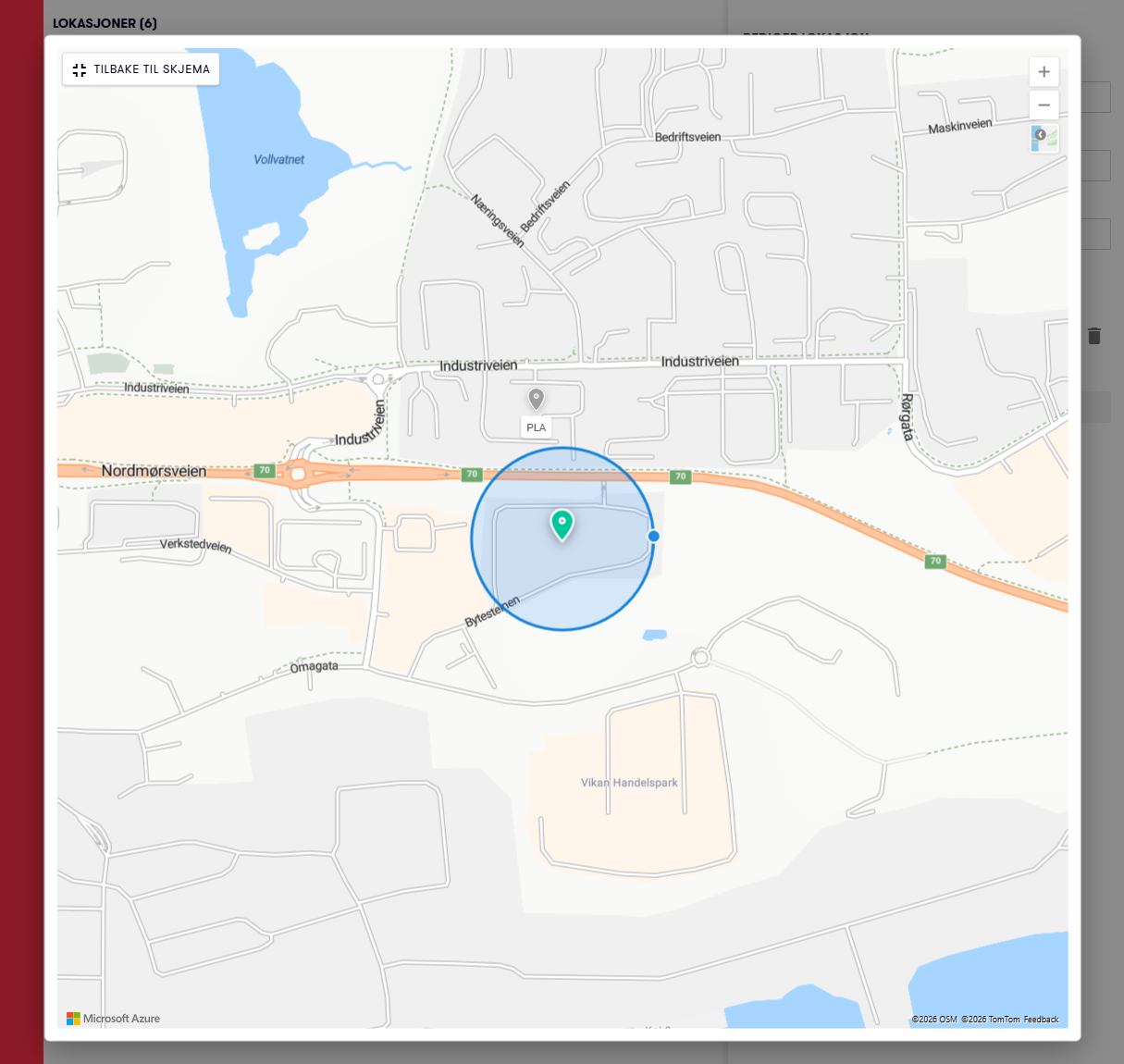
- Specify a position on the map if you use geolocation
- Save the location
How to edit or deactivate a location
To edit a location, click the location name, in green writing.
For example, you can:
- change the name
- deactivate the location
- adjust its position on the map if geolocation is enabled
How to specify a position for a location
If geolocation is enabled in client settings, you can specify the location’s position on the map.
To do this:
- Open the location, by clicking its name in green writing.
- Find the correct place on the map
- Click the required position
- Save the change
You can zoom and move around the map to find the correct place.
When you create a new location, the map will normally open in the area of the most recently created location.
Tips for using the map
You can use full-screen view to get a better overview of the map.
Click the square in the upper-left corner of the map to open it in full-screen view.
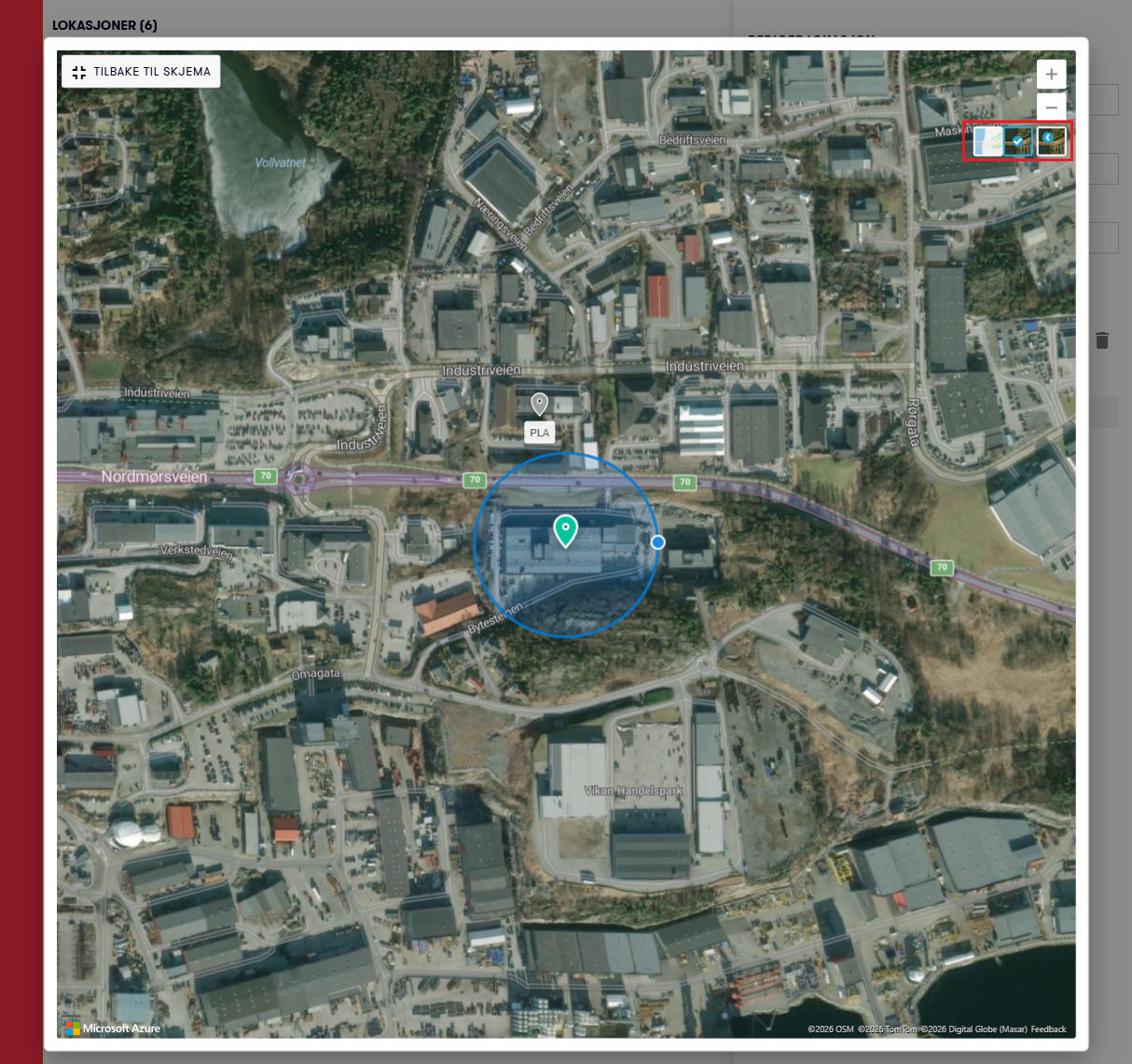
You can also switch between the map and aerial imagery using the map selector below the zoom buttons.
You can also switch between the map and aerial imagery using the map selector below the zoom buttons.
Can you delete a location?
You can only delete a location if it is not currently in use and has never been used before.
To delete a location:
- Go to Admin - Dimensions - Location
- Find the location
- Click the three dots on the left
- Click the trash can icon
If the location has been used, you should deactivate it instead to keep history.
Can time registration be restricted to specific locations?
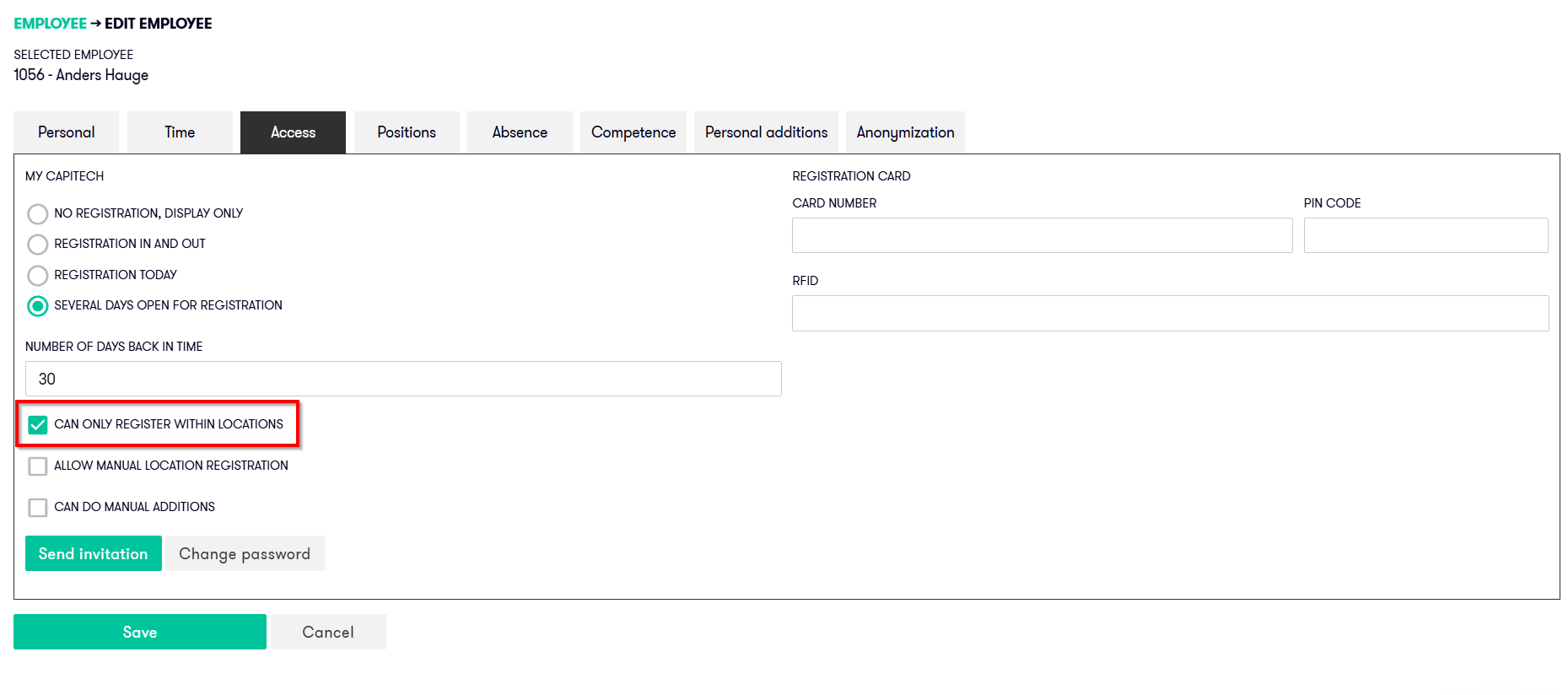
Yes. For individual employees, you can specify that time registration in My Capitech should only be available within defined locations.
This may be relevant if employees should only be able to register time when they are at an approved workplace.
If employees should be able to choose a location themselves when registering hours, without using geolocation, tick Allow manual location registration.
Tip: Create a location for working from home
You can create a separate location for working from home.
A work-from-home location can be created without geolocation, allowing employees to select it when they work from home.
Frequently asked questions
What is a location in Capitech Flow?
Location is a dimension used to register time at geographical sites in your organization.
What does geolocation do in My Capitech?
Geolocation allows My Capitech to use an employee’s position to suggest or enter the correct location during time registration.
Do employees have to allow location access?
Yes. Employees must give My Capitech permission to access their device’s location.
Can you delete a location?
You can only delete a location if it is not currently in use and has never been used before. If the location has been used, you should deactivate it instead.
Can you use a location for working from home?
Yes. You can create a separate location for working from home, preferably without geolocation.