
New version 15.63
Simployer Capitech - Version 15.63
This version contains new functionality and a number of improvements, such as:
- My Capitech - Quick and easy split of registered time
- Operational Pan - Drag and drop
- Shift rotations - Update alle shifts for one or multiple employees
- Improved menu, especiall on smaller screens
Read more below for info on other improvements and bug fixes. The version became available to all cloud customers in August 2026.
New functionality
My Capitech - Splitt registered time
Sometimes, you may need to split a time registration to indicate that you worked on something else for part of the day.
In My Capitech, you can now select the “Split” button, enter the time for the new time registration, and change any relevant dimensions.
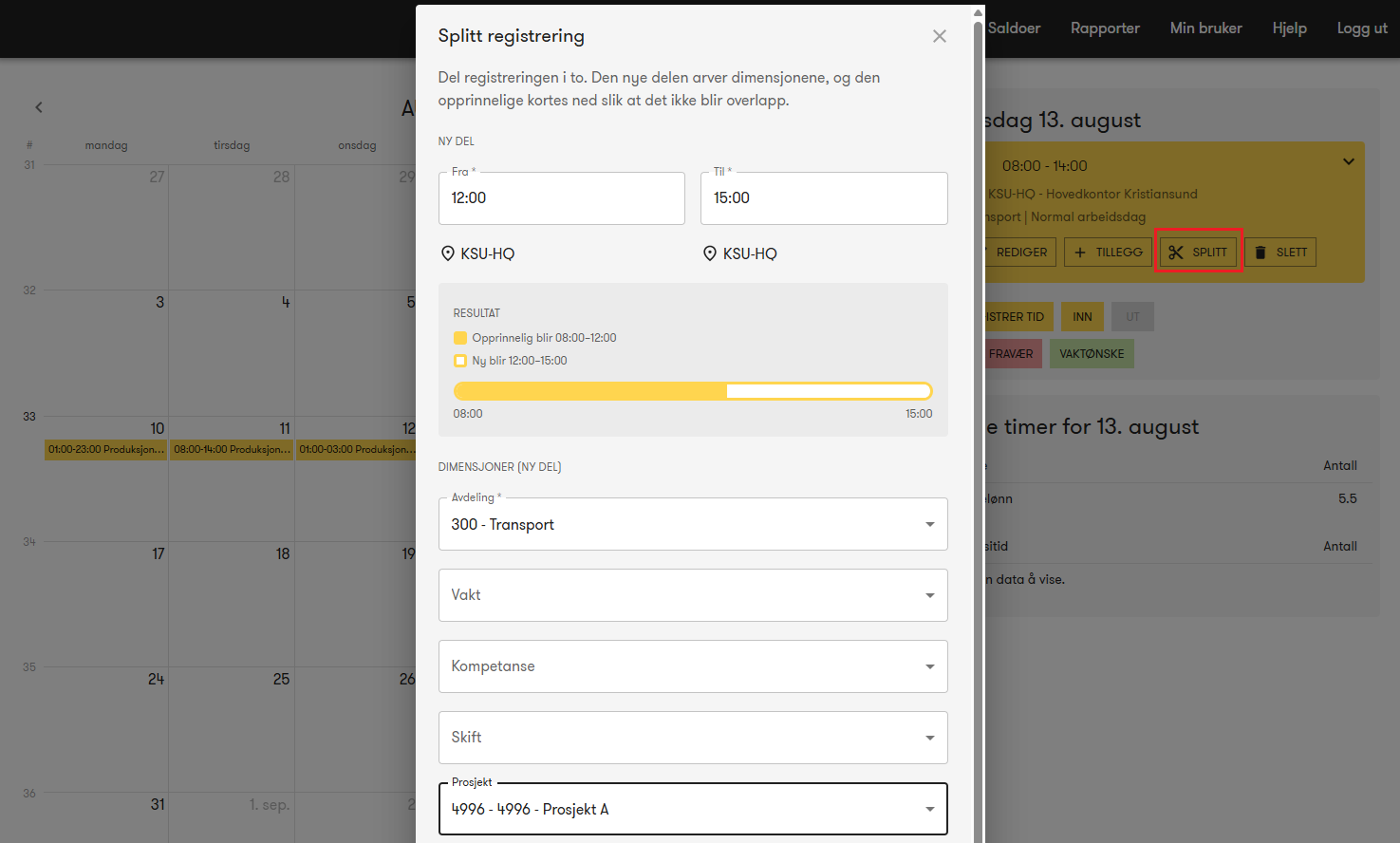
In this example, the employee has a time registration from 08:00–14:00, which is split to create a new registration from 12:00–15:00 for Project A. The original registration is automatically shortened to end at 12:00.
Operational Plan – Drag and drop
You can now use “drag and drop” to move or copy shifts in Operational Plan. In the top-right corner of each shift, there is an icon that you can use to drag the shift to, for example, another date and/or employee.
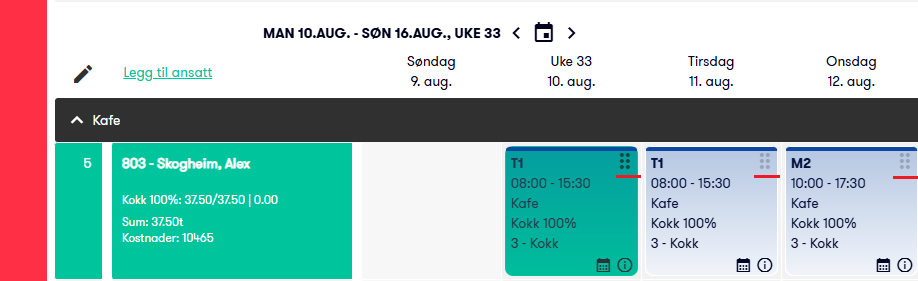
f you hold down the Ctrl key while dragging, a copy of the shift will be created, just like in Excel.
Operational Plan – Split a shift
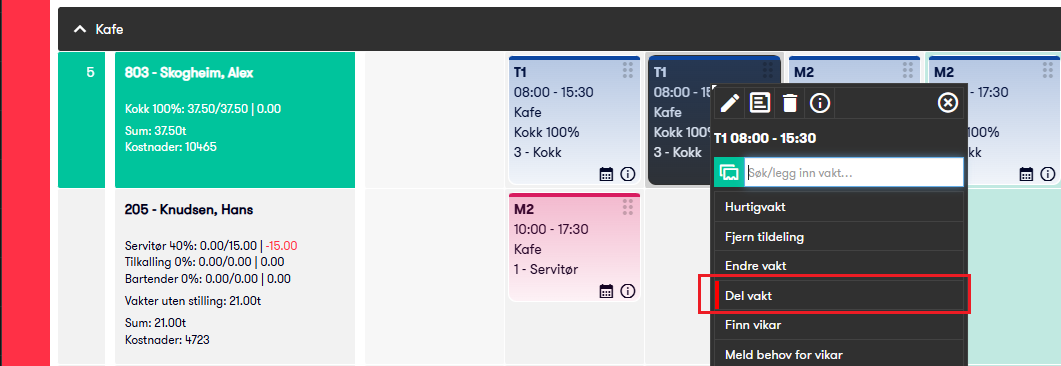
Sometimes, you may need to split a shift to indicate that an employee will be working on something else for part of the day. This can now be done easily by selecting “Split shift” when clicking on the shift.
You can select which shift to use for the next part, specify the relevant times, and choose the appropriate dimensions.
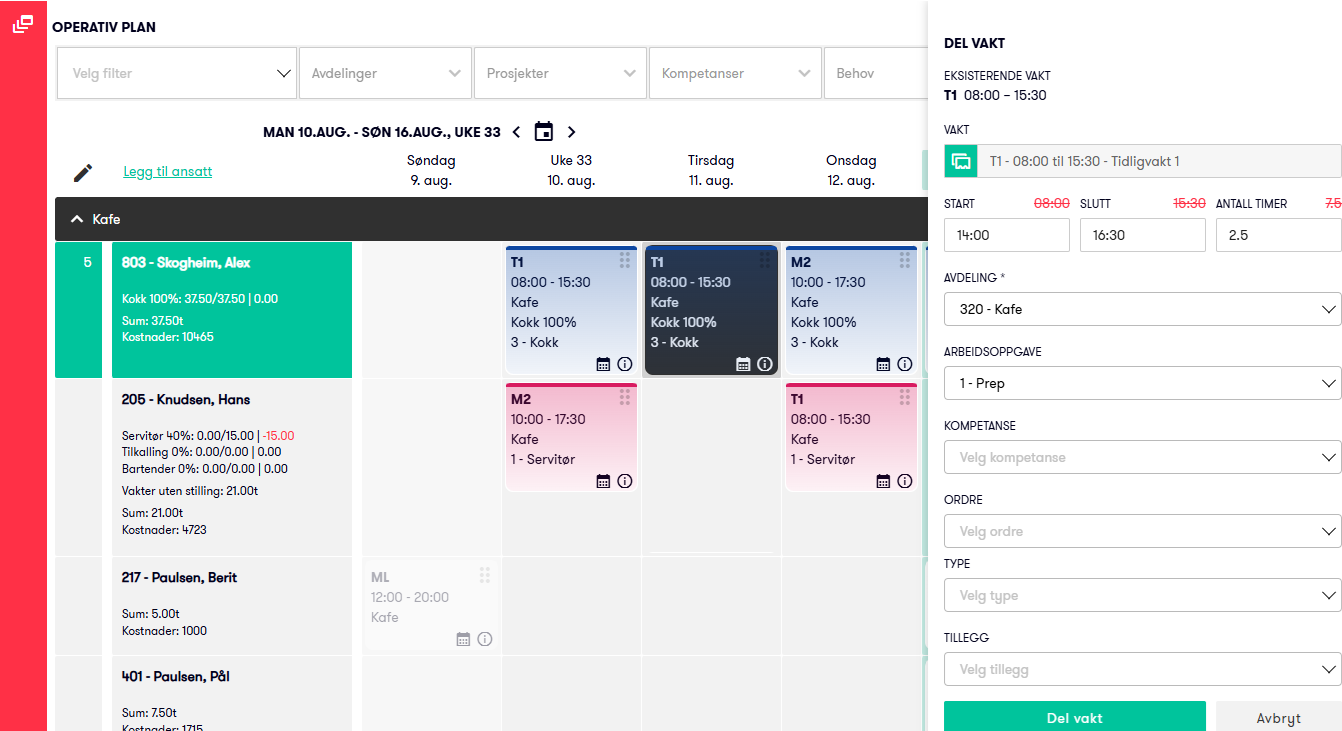
Once completed, the original shift is shortened (or split into two parts), and the new shift is assigned the specified times, department, and other dimensions based on what the employee is scheduled to work on.
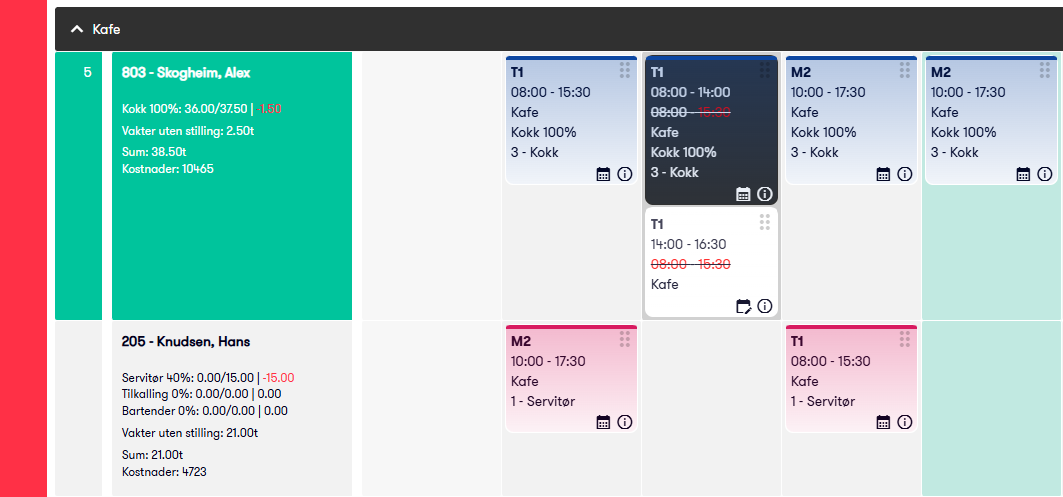
A prerequisite for splitting a shift is that the new shift and its specified times partially overlap with the original shift. If there is no overlap, you can simply add a new shift the usual way.
Shift rotations – Edit all shifts for an employee
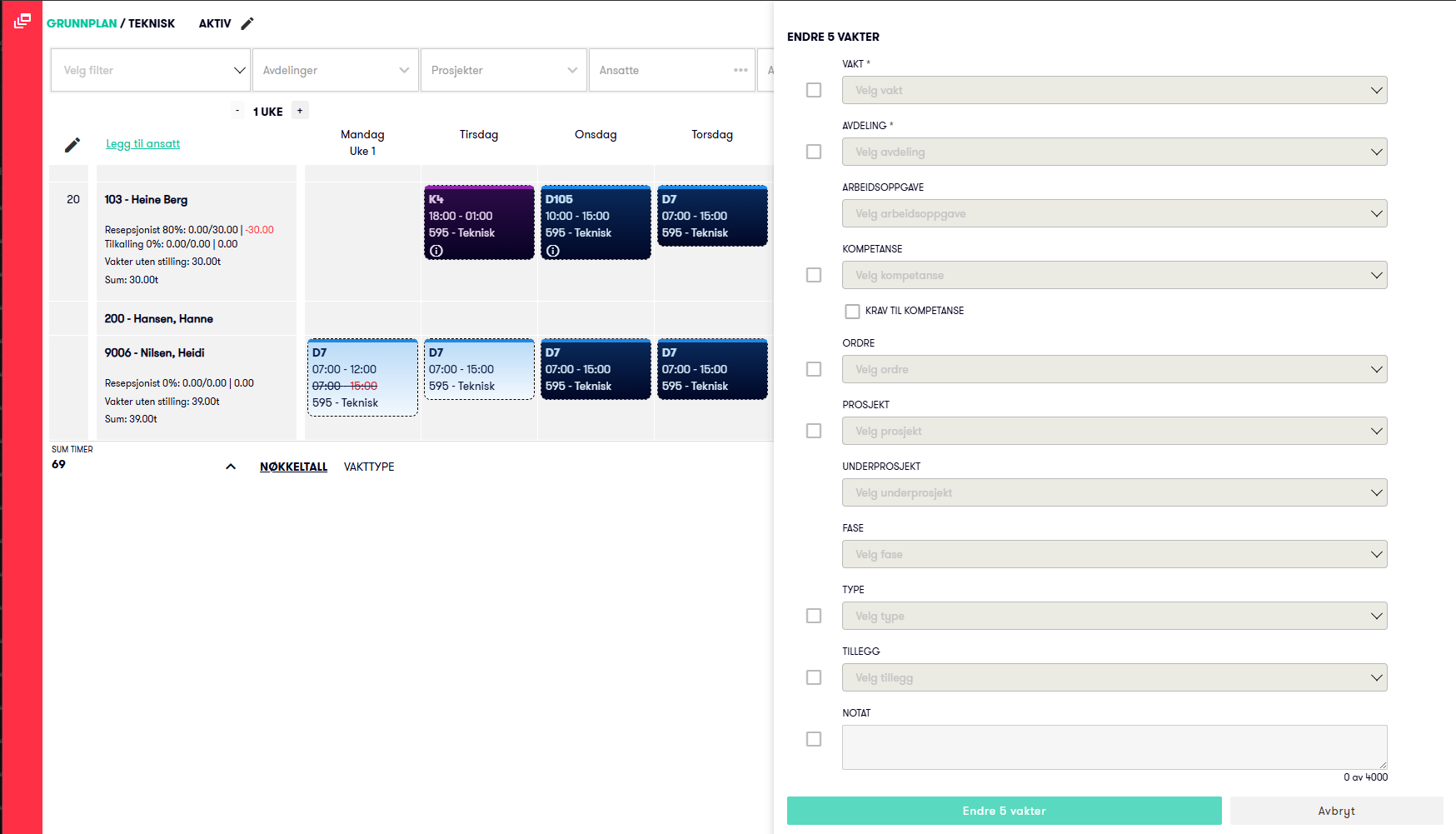
It is now possible to select “Change X shifts for employee” in Base Schedule, allowing you to update all shifts in a single operation. This is especially efficient when there are many shifts and/or multiple settings that need to be changed.
Shift rotations – Edit all shifts for mutiple employees
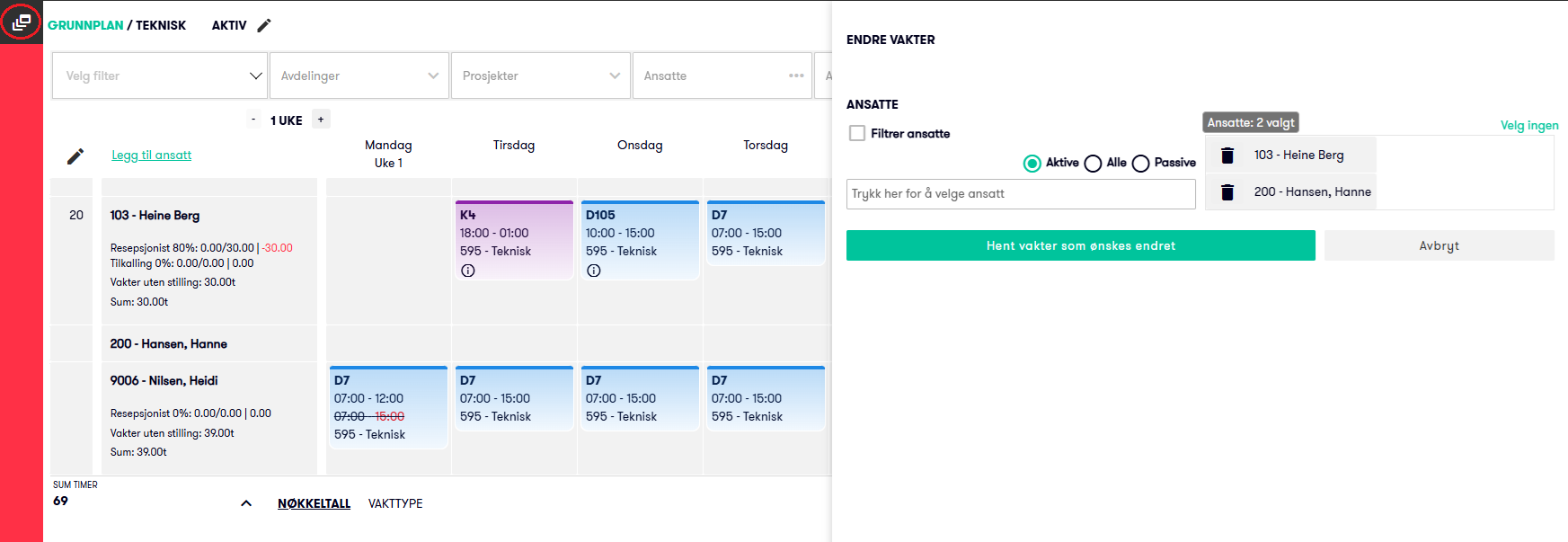
You can now use the icon in the top-left corner to select multiple employees and update all their shifts in a Shift roation in a single operation. This is very convenient, as you no longer need to update each shift individually across multiple employees and days.
Improvements
Improved menu
We have updated the menu in Flow to make it better and easier to use, especially on smaller screens.
- When you open a menu, other menus automatically collapse.
- When you expand a submenu, other submenus automatically collapse.
- If there is not enough space to display all menu options on the screen, a scroll bar is automatically added.
Bug fixes
Operational Plan | Employee Filter
Fixed an issue where a manually applied employee filter temporarily disappeared when refreshing the page.
Plan - Shift Swap requests | Display Number and Name
Updated the display to follow the user’s selected settings for showing employee number and name.
Employee Register | Display of Employment Duration
Corrected the display of employment duration. In some cases, when an employee had been employed for more than eleven and a half months of the next year, the duration could be rounded up incorrectly. For example, 2 years and 11 months could be displayed as 2 years and 1 year. It will now be displayed as 2 years and 11 months until the employee has completed 3 full years.