
New version 15.61
Simployer Capitech - Version 15.61
This version includes, among other things, new functionality for home office, a new position concept, custom fields for employees, as well as some improvements and bug fixes. The version became available to all cloud customers in May 2026.
New functionality
Home office solution made easy
Many need to keep track of when and how much employees work from home but struggle with how to do it in a simple way.
We have now created a very elegant solution where My Capitech can automatically set Home Office on time registrations when employees work from home.
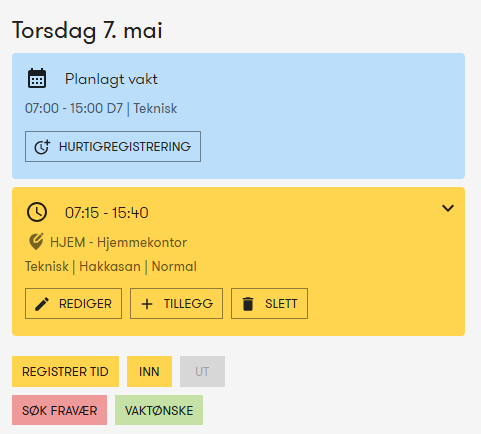
The employee only needs to save where they have a home office on their personal user profile and then home office is automatically applied upon registration.
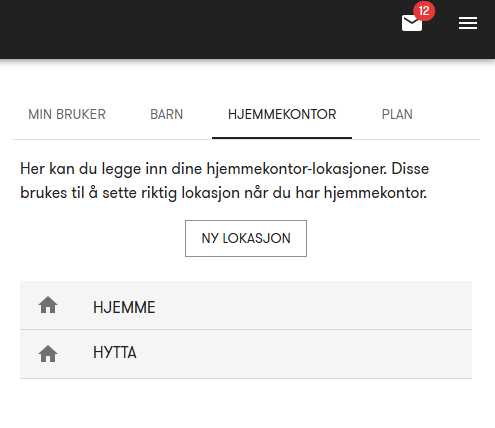
The company does not have access to or insight into the individual employees' GPS position for home office, only that hours are registered at the company's standard home office location.
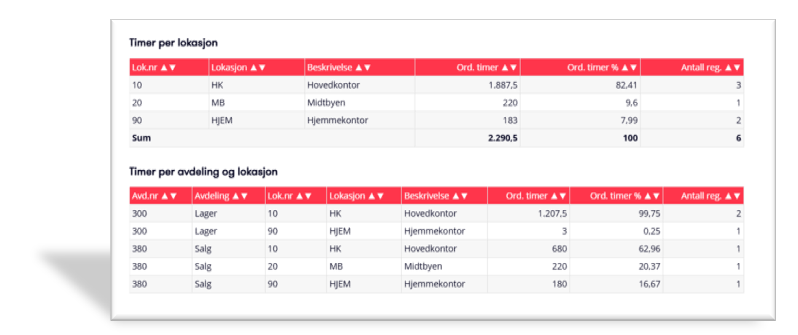
Managers hvae an updated overview of who is working from home and can generate reports showing how much home office work is used for the entire company and per department.
New solution for positions
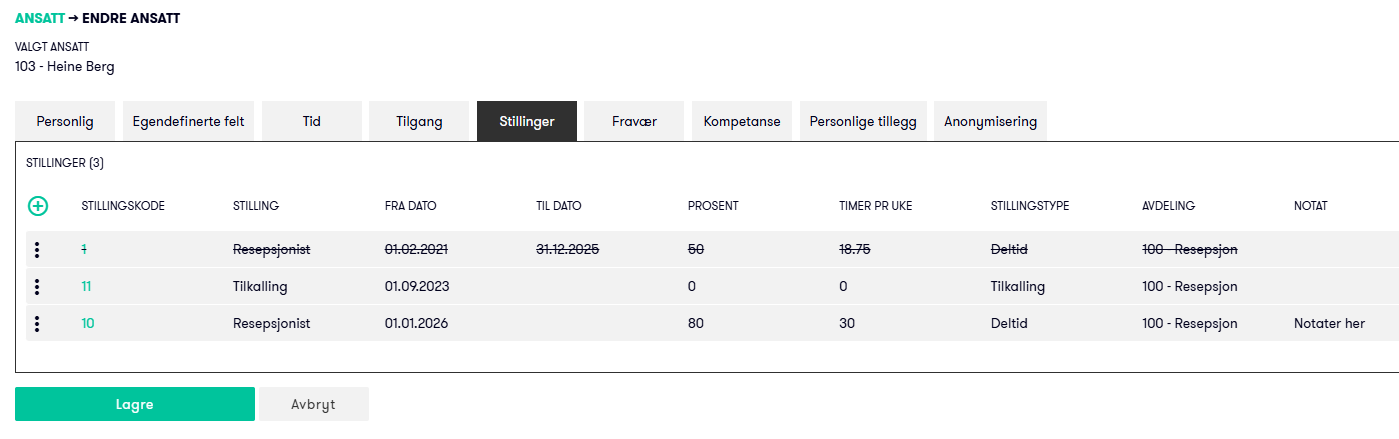
In this version, there is also a new solution for positions that can be used by everyone and will be especially useful for customers with the planning module.
Activated in client settings under the "Dimensions" tab. You then get a separate tab for positions on employees where you can enter new and old positions and get a good overview.
Positions in Shift rotations
When positions have been activated, you will see in the base plan which positions the employees have, how much they are supposed to work according to their position, and how much they have been allocated in the Shift rotation. If there are too many or too few hours, this is shown as a deviation marked with red font.
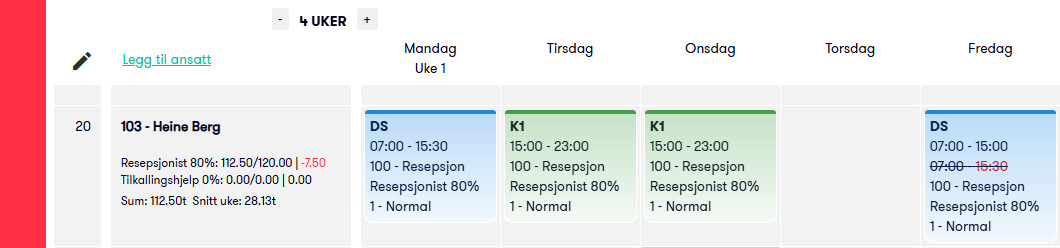
Positions in Operational Plan
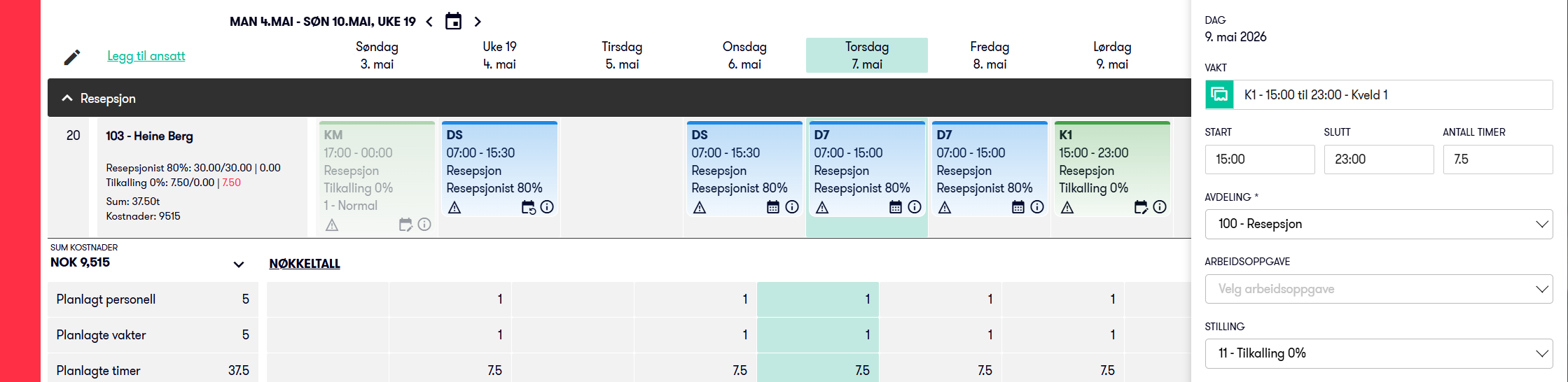
Here you get similar information as in the Base Plan, naturally for the period opened in Operational Plan 1 Week, 4 Weeks, or Month.
Which positions the employees have, how much the position indicates they should work, and how many hours they have been allocated in the Operational Plan. If there are too many or too few hours, deviations are shown in red font.
You can assign extra shifts for part-time employees to separate on-call positions if an agreement has been made for it and have a complete overview of what has been agreed for which positions.
Create new fields in employee register
Sometimes you just wish you could create your own fields to store exactly what you need. Now this is easy to arrange yourself in Capitech.
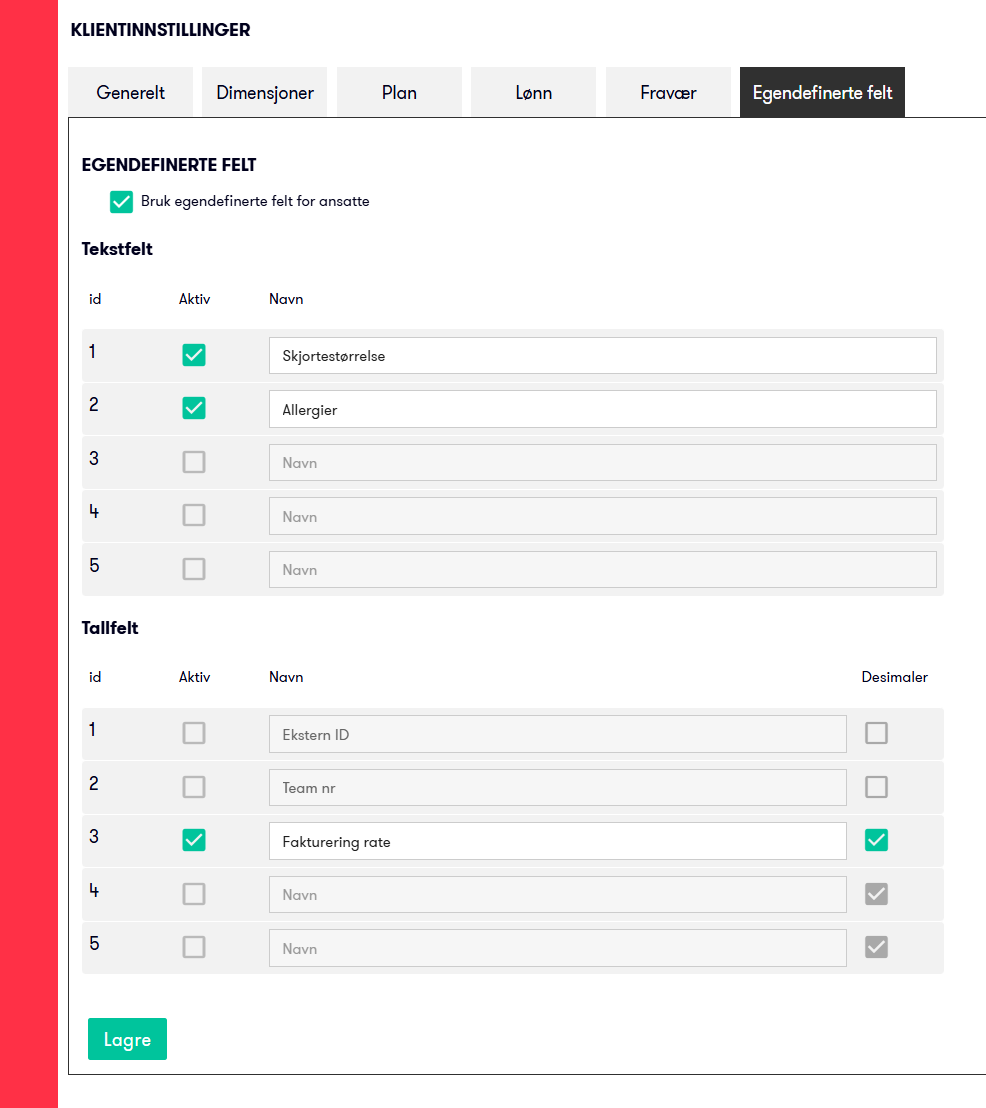
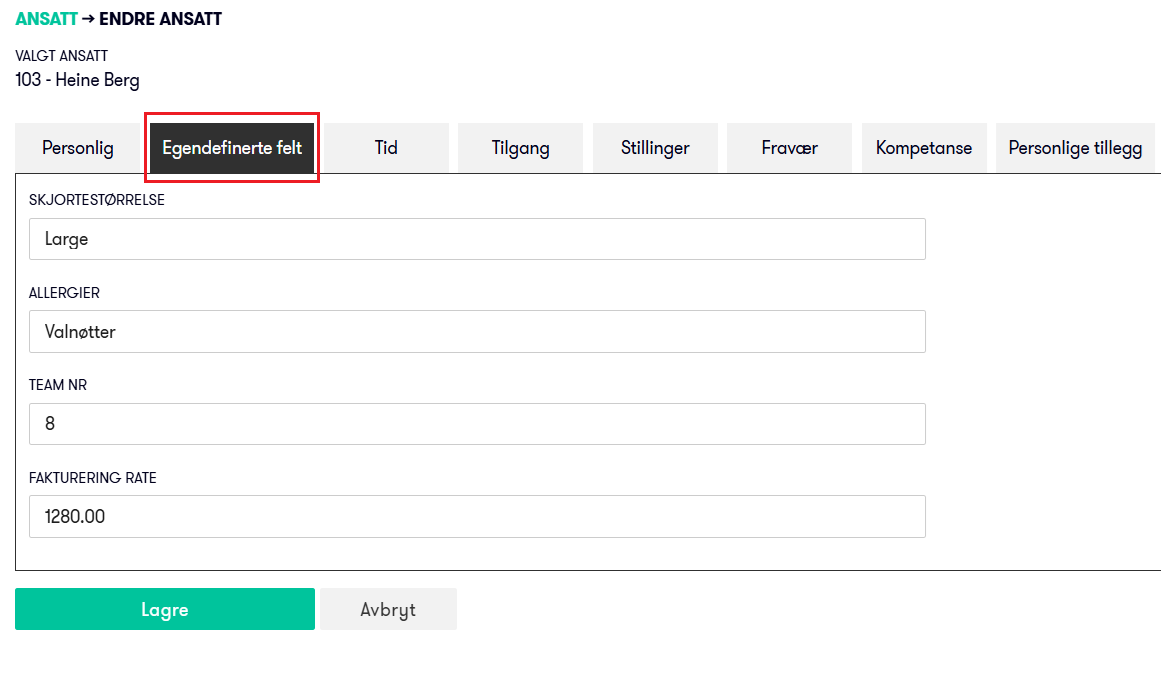
In client settings, you will now find a new tab for custom fields where you can activate up to ten fields and name them as you wish. You can choose between text and numbers, with or without decimals.
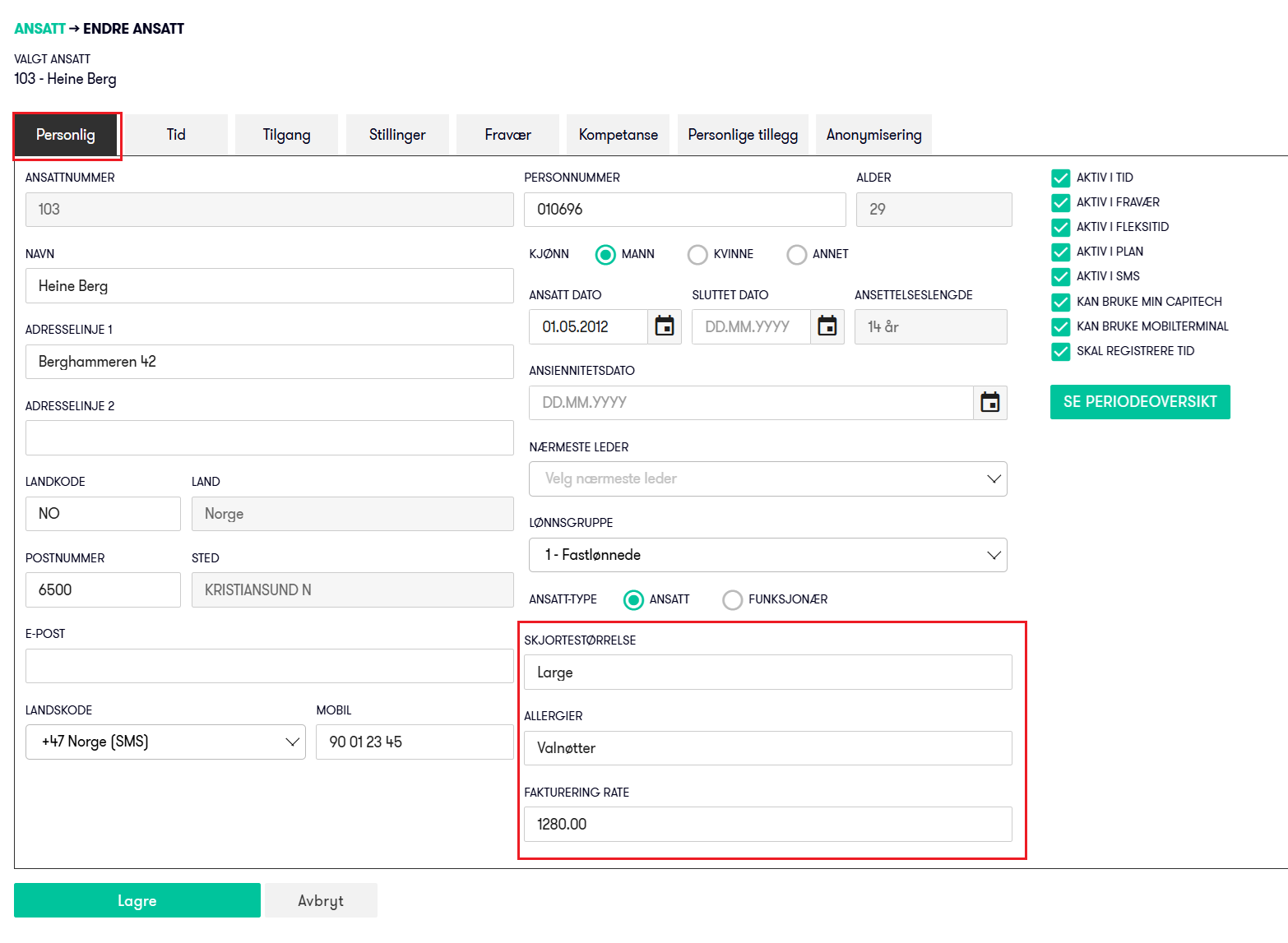
If there are up to three fields, they are displayed on the first page along with other employee information. And to make it clear, it is displayed as a separate tab if four or more custom fields are in use.
Improvements
My Capitech | More detailed permissions
With the new geolocation solution for My Capitech, it is now possible to specify whether manual location entry should be allowed or not.
If this is not allowed, it will only be possible to register time within locations without a manual "fallback solution", relevant for employees where it is absolutely necessary to be on-site and physical registration terminals are not desired.
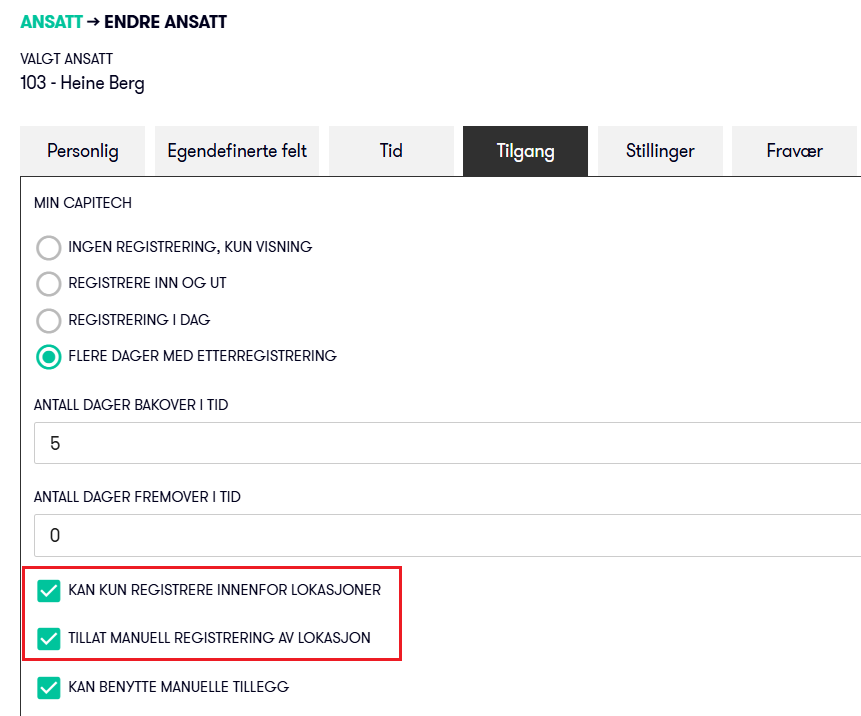
If it is allowed, the employee will be able to select the location manually and register time, e.g., if there is poor coverage that prevents position detection.
My Capitech | Absence notifications
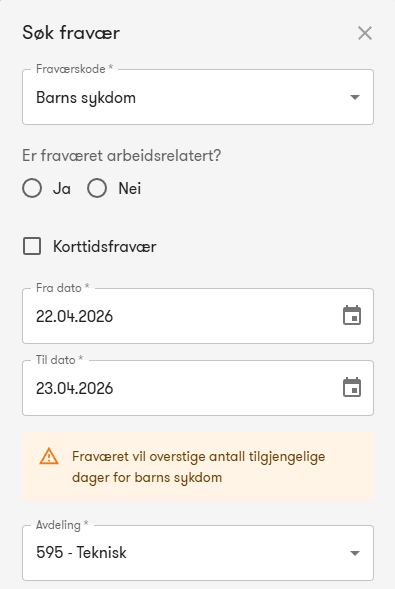
Employees now receive a notification when creating an absence application if they exceed the number of days for child's illness or the number of self-certified absence instances. This will defer employees from submitting absence applications that would normally not be approved by a manager.
Automation | Support for Today
For automation jobs such as generating or approving hours, it is now possible to set them to run for today and x days backward; previously, it was only possible from yesterday and backward.
Absence | Warnings
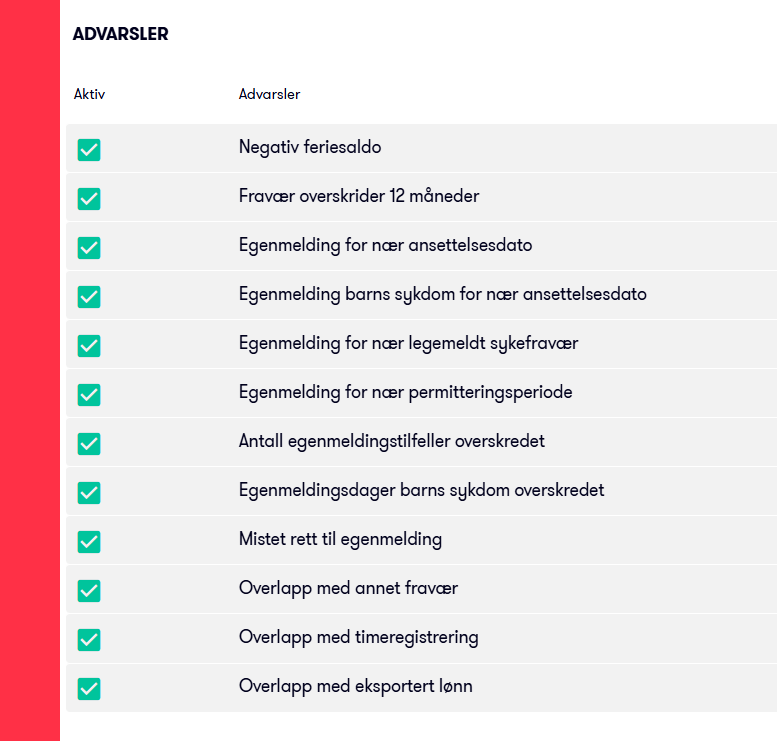
In the new menu Admin - Absence - Notification settings, it is now possible to view and toggle built-in notifications that can be triggered if absence exceeds standard limits.
Reports | Sickness Absence Statistics
Standard reports for sickness absence statistics have been updated to exclude absence of the layoff type when calculating agreed daily work. Applies to all the following reports:
- Sickness absence statistics per department
- Sickness absence statistics per gender
- Sickness absence statistics per client
- Sickness absence statistics per employee
- Sickness absence percentage per department (Graphical)
Absence | Speed
We have made improvements that make opening absences noticeably faster, most noticeable for long absences spanning several months.
Bug fixes
Base Plan | End week no.
Fixed an error where the end week number for a base plan rollout could be missing in the display in some scenarios. This has now been corrected and is displayed as normal.
Admin - Dimensions - Department | Accounting Department
Fixed missing sorting of accounting departments in dropdown list.
Update 15.61.1
- AI Help - Article Preview
Opened communication to allow preview of articles used as sources for answers in the new embedded AI Help. - My Capitech HMSreg Integration
Updated to retrieve the HMSreg card number from the card number field instead of the RFID field.
Update 15.61.2
- My Capitech HMSreg Integration
Adjusted storage to include the Capitech project number in addition to the HMSreg number for the project in outgoing messages.
Update 15.61.3
- My Capitech HMSreg Integration
Transfer of My Capitech Check-In / Check-Out registrations to HMSreg now only occurs when the location on the time registration is one of the defined locations associated with the project. This avoids transferring registrations for employees who work on the project but are not at the relevant location. - My Capitech - My Profile - Home Office
Extended with text to inform about the default home office location that will be saved when registering time at one of their personal home office locations. - Admin - Dimensions - Project
When HMSreg integration is enabled, it is now possible to save one or more locations for the project. - New menu Admin - Integrations - Mapping
Allows you to create mapping of absence codes between Capitech and external systems for use in integrations.