
New version 15.62
Simployer Capitech - Version 15.62
This version contains new functionality and a number of improvements, such as:
- Solution for changing multiple shifts simultaneously in Shift rotations
- Send SMS upon creation of a new shift
- New menu for creating and maintaining rates
- Support for integration of absence from Capitech to Simployer One
Contact us if this is of interest. - New menu option for setting up mapping of absence codes and departments between Capitech and Simployer One or external systems.
Read more below for info on other improvements and bug fixes. The version became available to all cloud customers in June 2026.
New functionality
Shift rotations – change multiple shifts simultaneously
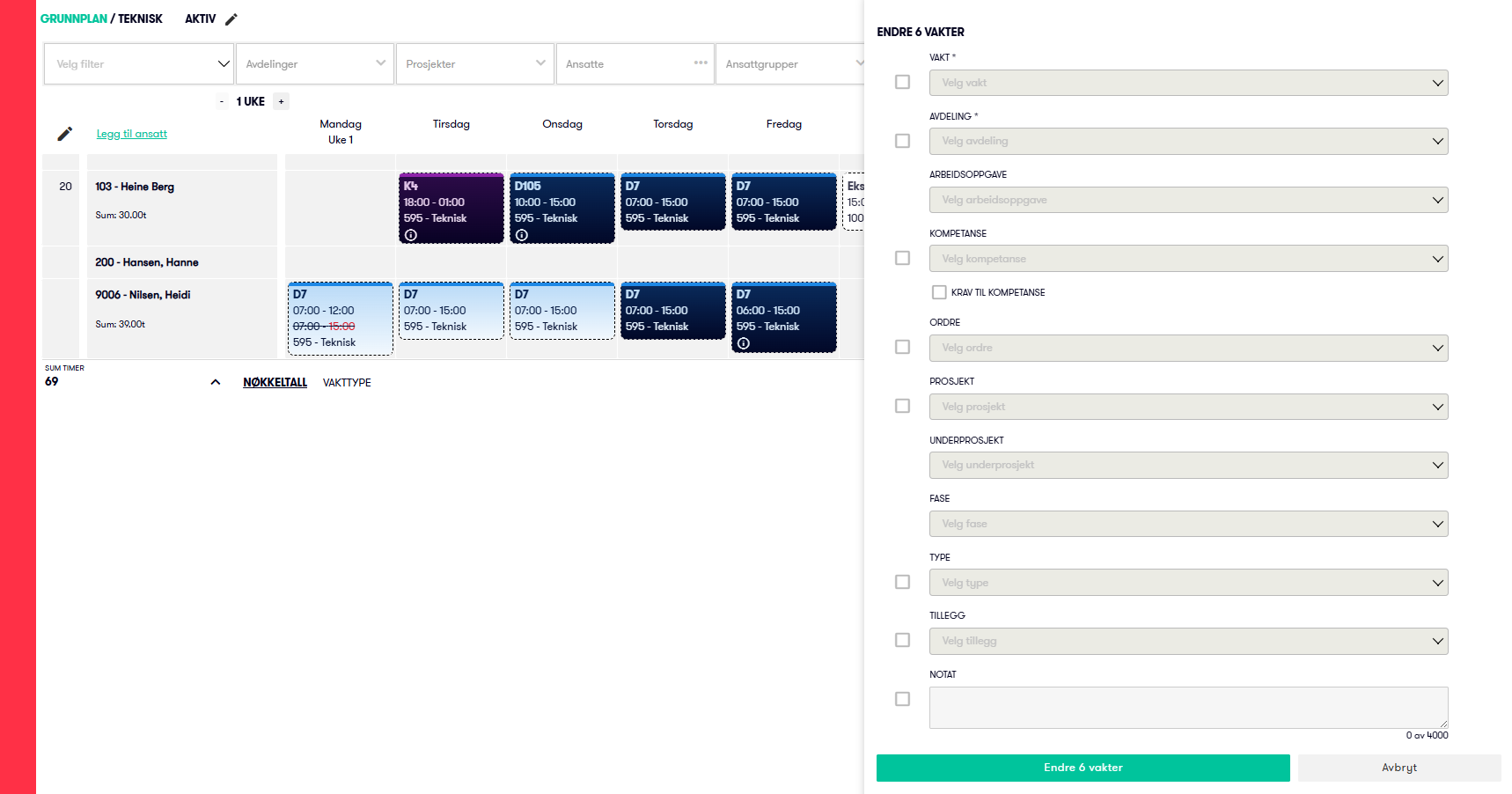
It is now possible to select multiple shifts in Shift rotations and change all of them simultaneously in the same way as in Operational Plan. Very efficient when there are many shifts and several changes.
Operational Plan – Send SMS upon new shift
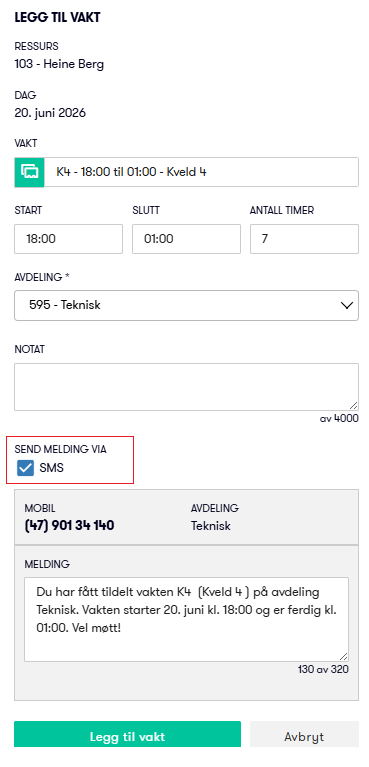
When adding a shift (without using find substitute or assign shift), one can now choose to send an SMS to the employee.
New menu for creating and editing rates
A new menu option has been created to maintain rates for e.g. cost calculation under Admin - Employee - Rates.
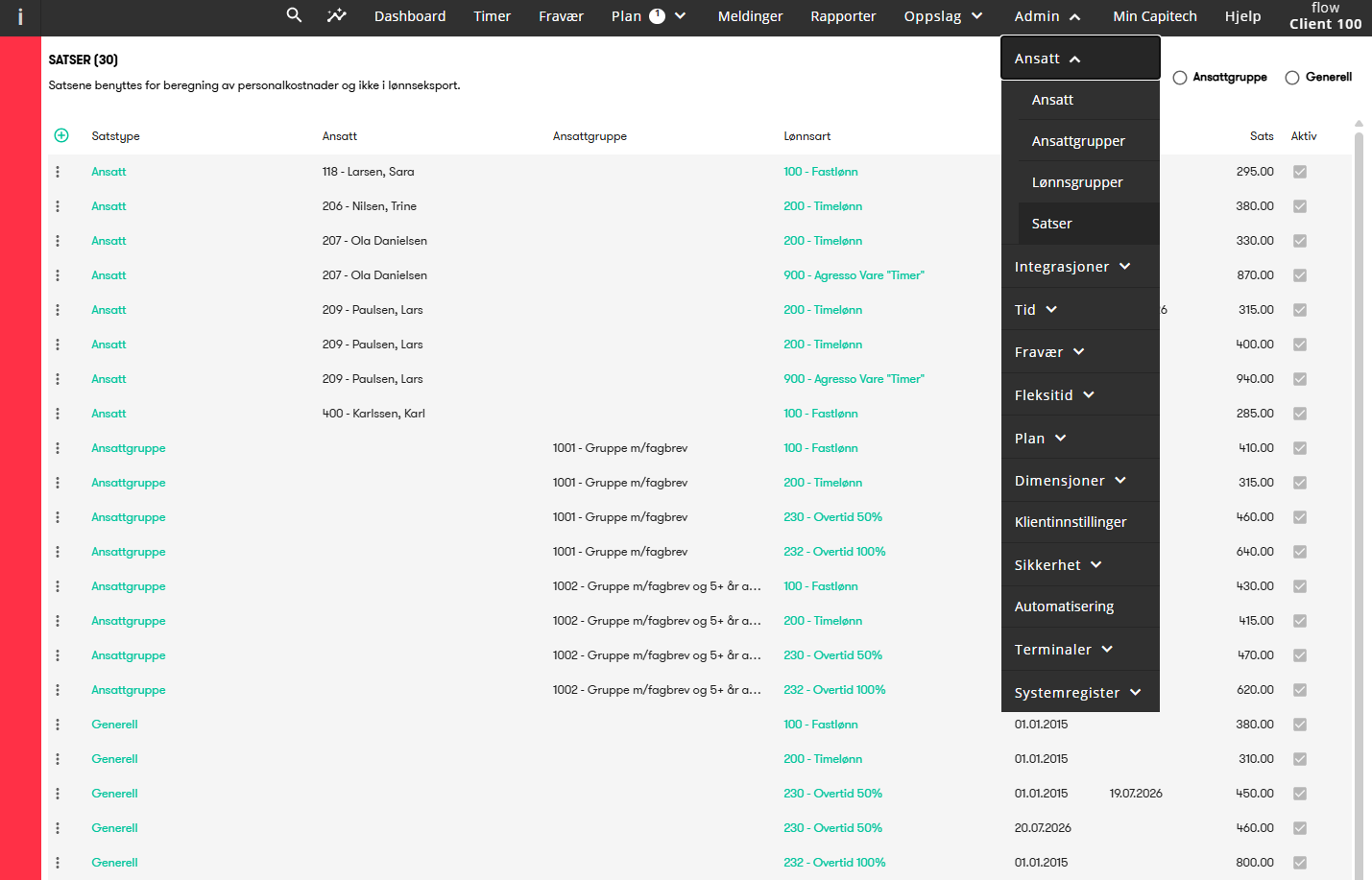
The menu option is automatically made available to users with Admin role on clients that use cost calculation. Thus, it is no longer necessary to use the Classic Tid application to edit rates.
Integration of absence from Capitech to Simployer One
We have created a new integration that regularly transfers absence created, changed, or deleted in Capitech to Simployer One.
You can define which absence codes in Capitech are to be transferred and to which absence types in Simployer One. Contact us if this is of interest.
New menu for mapping absence codes and departments
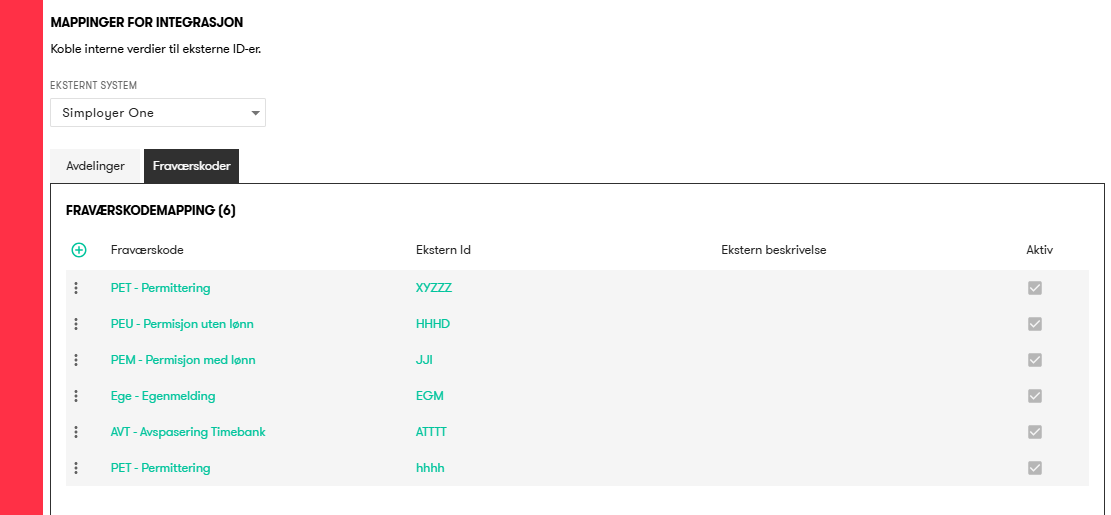
A new menu has been created under Admin - Integrations - Mapping where you can define respectively which Capitech departments or absence codes correspond to departments and absence in external systems.
Improvements
Plan – Extend with support for more colors
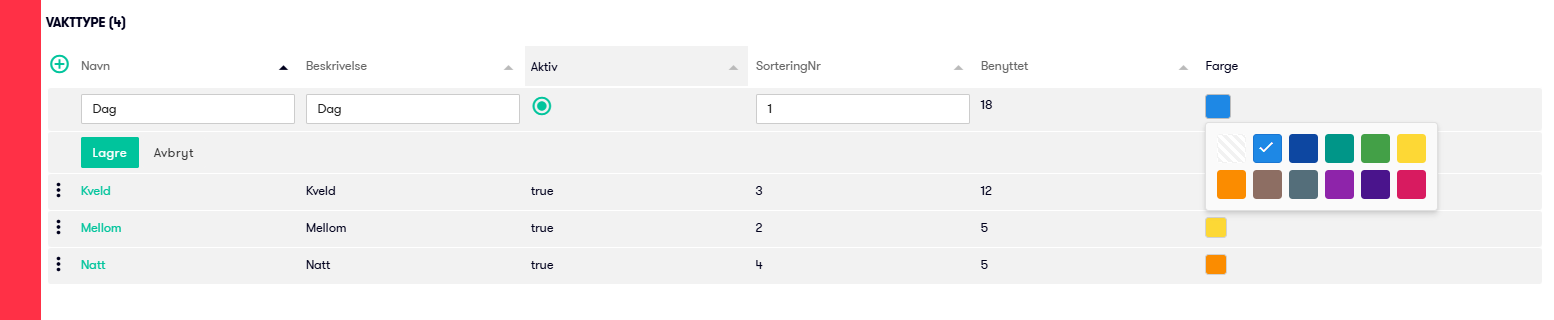
We have extended the number of different colors that can be used from 7 to 11 to further distinguish shifts by color.
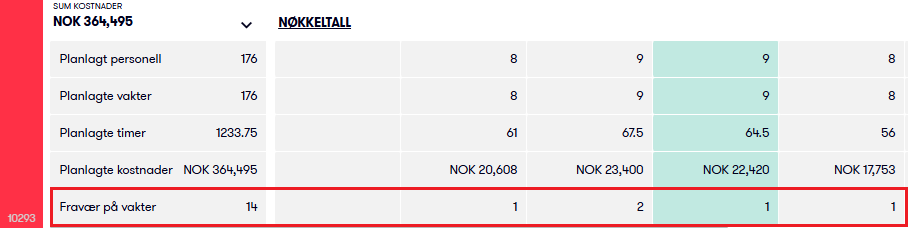
Operational Plan – Number of shifts with absence
Below the plan, the number of shifts with absence (marked with a red bar) is now displayed for each date. This provides a quicker overview of the staffing situation without having to review all shifts and absences.
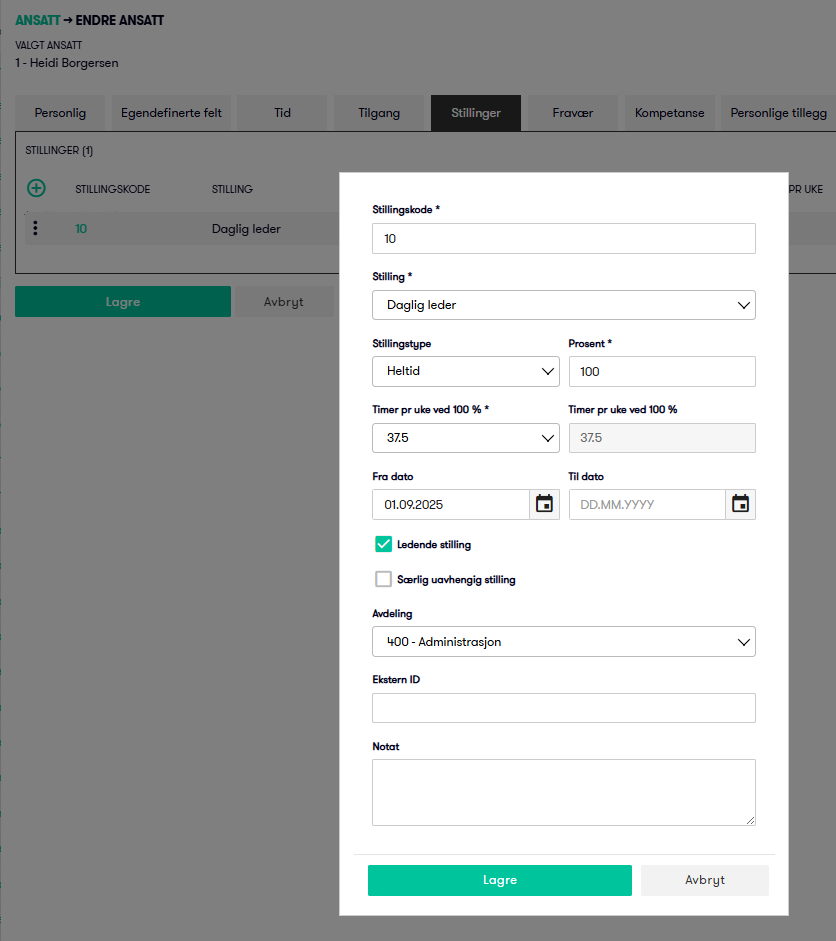
Positions - Managerial or particularly independent position
In employee positions, it is now possible to check if a position is managerial or particularly independent.
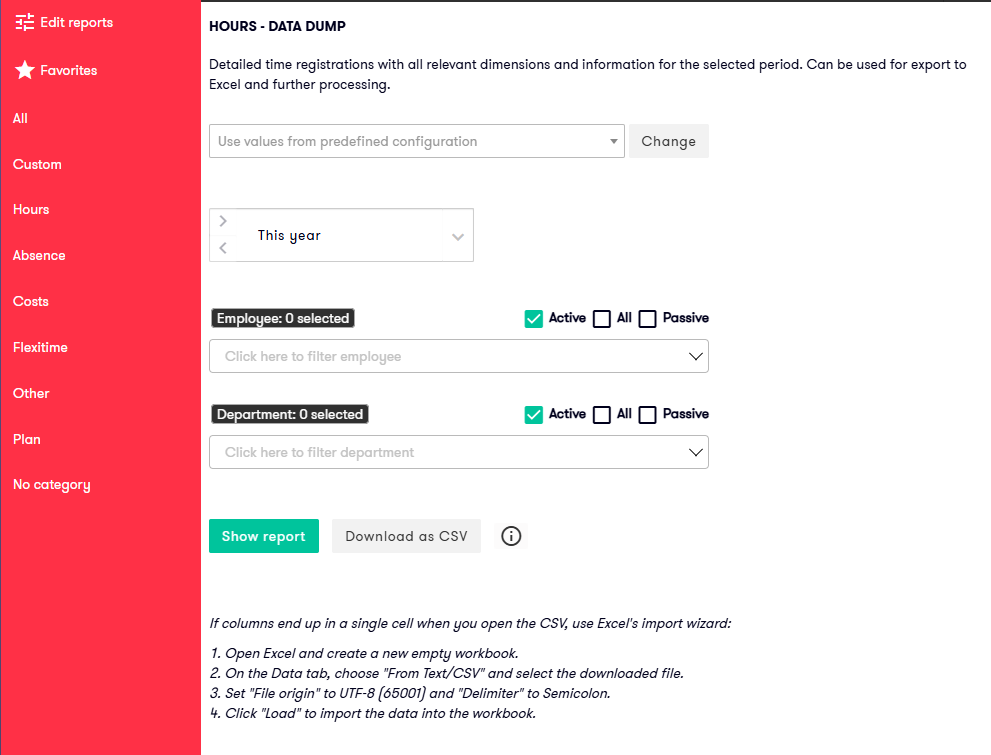
Reports - Download as csv
We have introduced support for downloading reports as CSV files. This provides faster exports, handles larger volumes of data more efficiently, and excludes formatting elements such as colors, merged cells, and other visual formatting.
A dedicated Download as CSV button is now available for the Hours – Raw Data report, which is commonly used to extract data for further processing in Excel.
This functionality can also be enabled for custom reports where appropriate.
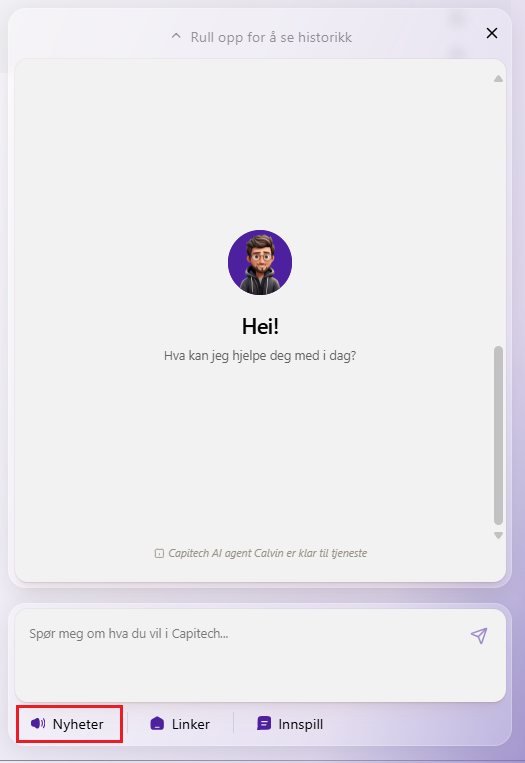
Menu option Help - What's new
This menu option has now been removed and is now available in our new Help AI solution.
Employee API - Extended with custom fields
The Employee API getEmployeePersonalInformation has been extended with support for custom employee fields, making thos info available when retrieving employee information. The fields are activated and named per client in the client settings.
API for Timetransactions and Presence - Extended with location
These APIs have been extended with location fields, making it possible to include both location ID and location name in the Timetransactions and Presence APIs. This provides more detailed location-based data for reporting and integrations.
- getPresence
- getTimeTransactions
New APIs – Employee Group Filters
We have introduced a range of new APIs that make it possible to view and update employee group filters for the following dimensions: Department, Project, Order, FreeDimension1, FreeDimension2, Manual Additions, DutyDefinitons and Absence Codes.
The new APIs are:
- getEmployeeGroupFilter
- updateEmployeeGroupAbsenceCodeFilter
- updateEmployeeGroupDepartmentFilter
- updateEmployeeGroupDutyDefinitionFilter
- updateEmployeeGroupFreeDim1Filter
- updateEmployeeGroupFreeDim2Filter
- updateEmployeeGroupManualAdditionFilter
- updateEmployeeGroupOrderFilter
- updateEmployeeGroupProjectFilter
Bug fixes
Operational Plan | Grouping level 2
Fixed an error where grouping at level 2 in some cases did not work for task or competence.
Update 15.62.2
- Admin - Integrations - Mapping
Added support for viewing and editing mappings for "System not specified" - Admin - Employee - Rates
Updated the access control so that users no longer need permission to create wage types in order to enter rates. Access to the Rates menu is now sufficient. - Admin - Integrations - Fraværseksport
Adjusted the absence export to use the absence code mappings for "System not specified" when no target system is defined. This effectively retains the existing behavior.
Update 15.62.3
- Search icon
Fixed an issue where the search icon could appear slightly too low in certain situations. This has been corrected.
Update 15.62.4
- Fix for potential freezing / performance issue
Fixed an issue where, in certain situations, an automation process could become stuck, causing system performance to degrade. This has been resolved.