
New version 15.66
Simployer Capitech - Version 15.66
This version contains new functionality, a number of improvements, and some bug fixes. Here is a short excerpt:
- Admin - New solution for changing employee number for one or multiple employees
- Hours - Support for permission to correct independently of time lock date (e.g., payroll)
- Menus - Custom links are expanded with support for displaying as a submenu
- Admin Terminals - Added option to specify location on terminal
More info below including improvements and bug fixes. The version became available to all cloud customers in November 2026.
New functionality
Change employee number
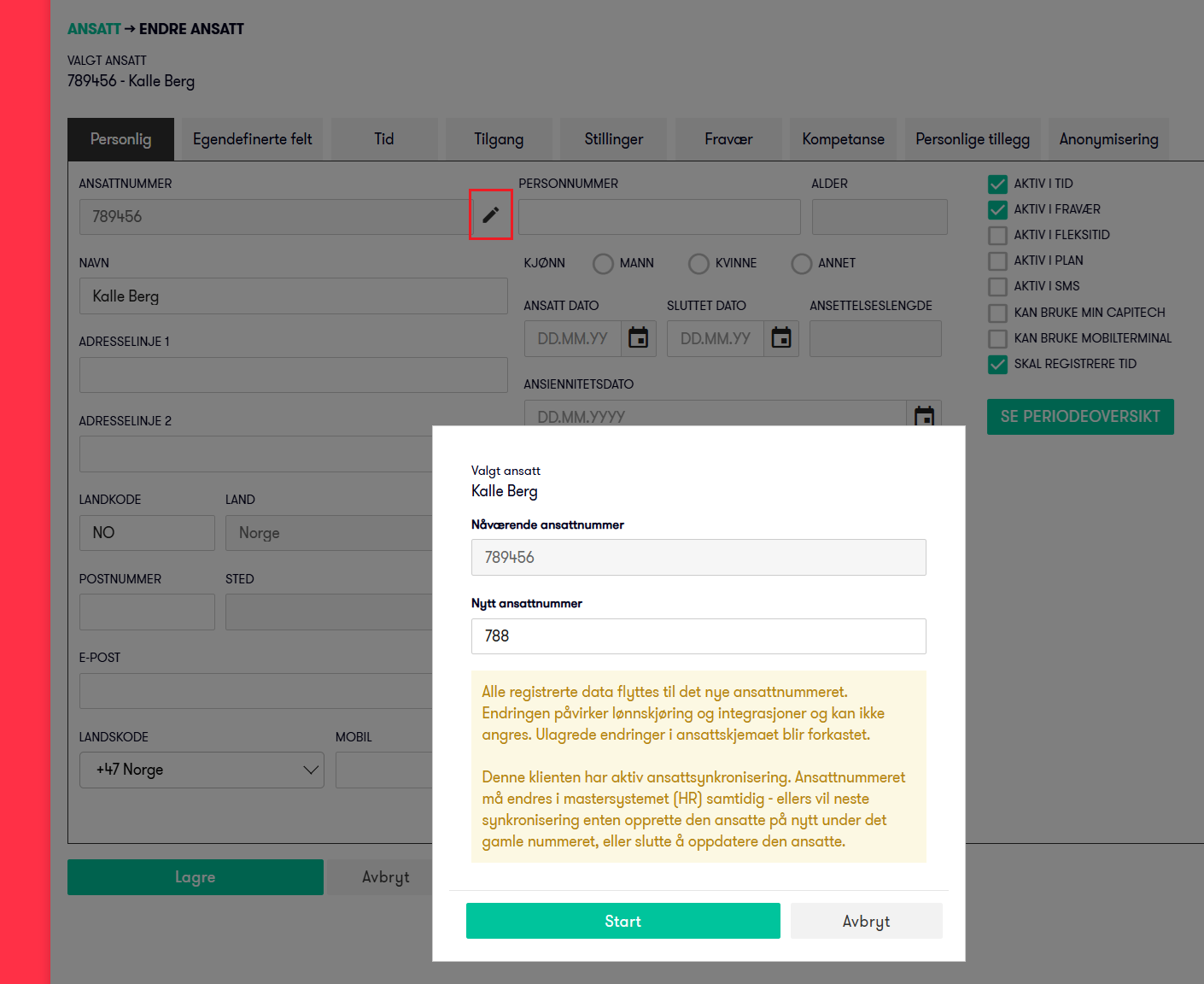
Support has been added to change the employee number directly on existing employees. A pencil icon is displayed next to the employee number, which can be clicked to make changes. Naturally, this is only visible to users with permission to change employee numbers. (Available by default for the Flow Admin role)
We have also created a new solution for changing the employee number for multiple employees via the new menu item Admin - Employee - Bulk change of employee numbers. The menu item is naturally only available to users with permissions for this menu item. (Available by default for the Flow Admin role)
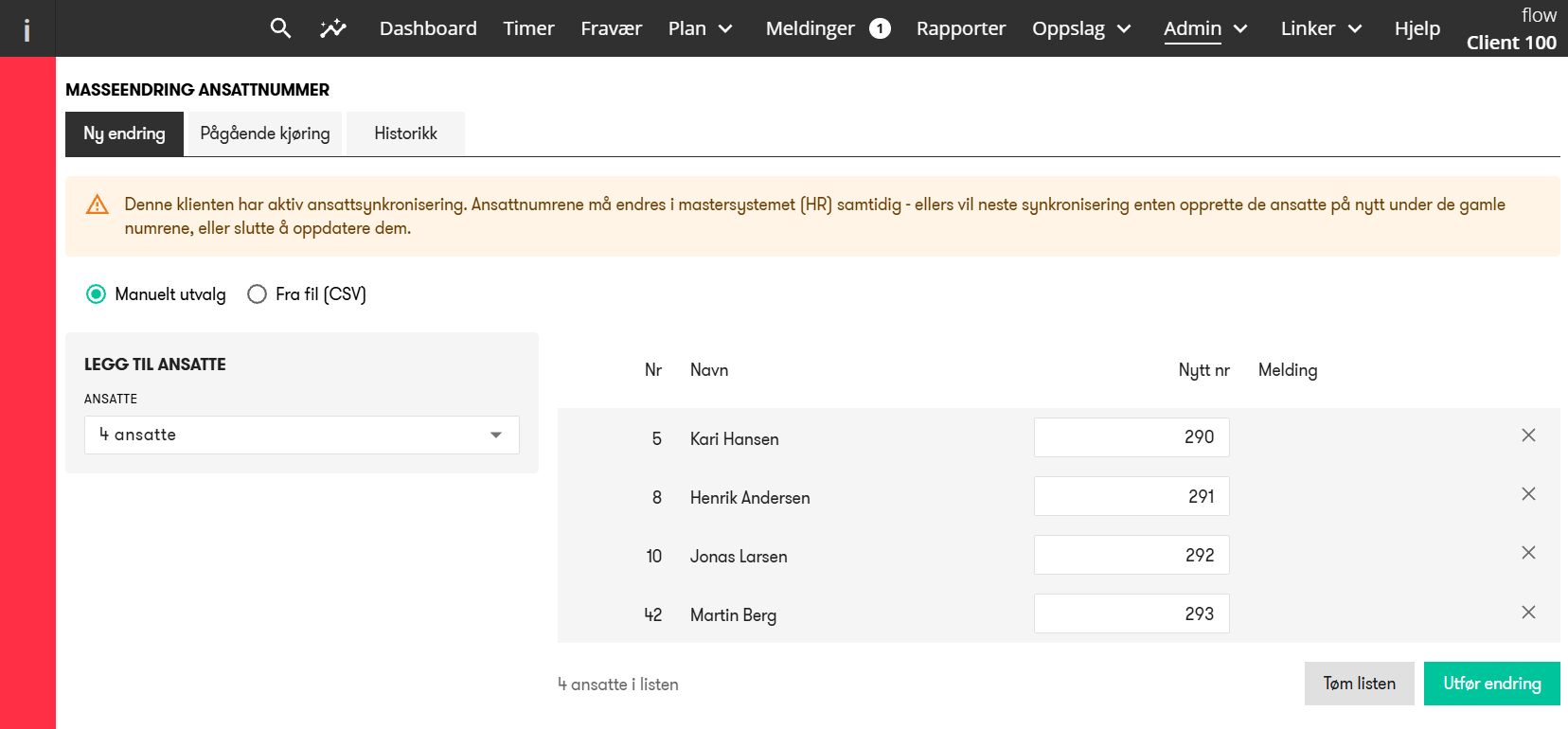
Here you can select the relevant employees, enter new employee numbers, and execute the changes.
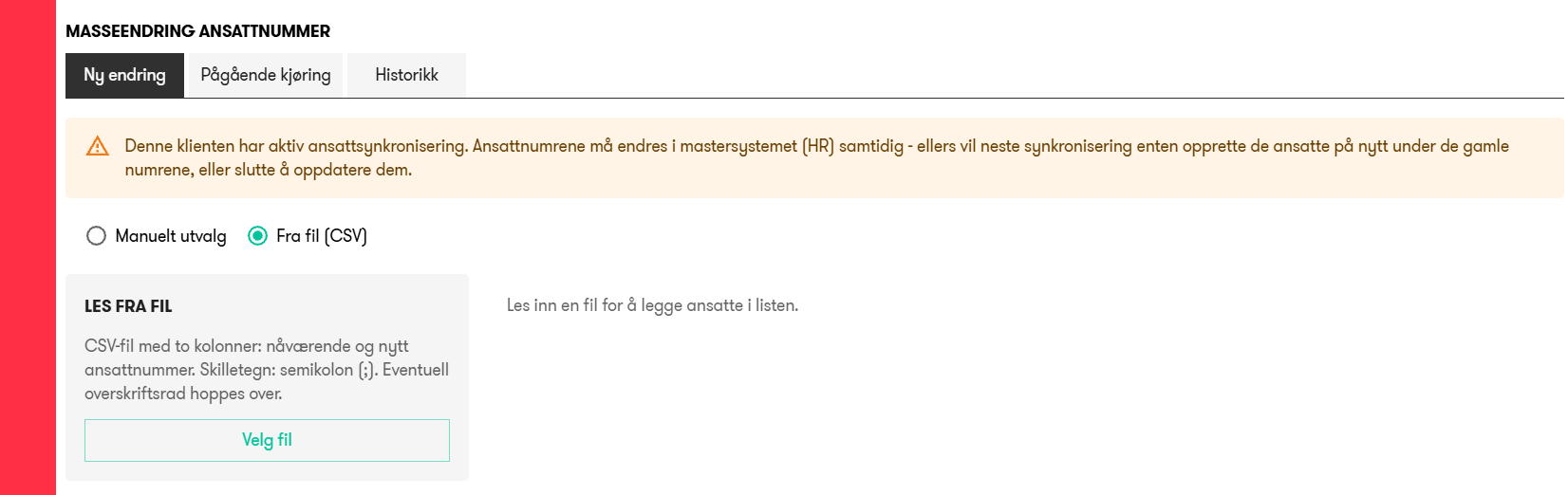
There is also support for importing a CSV file with current and new employee numbers to easily change multiple employee numbers based on, for example, an Excel file.
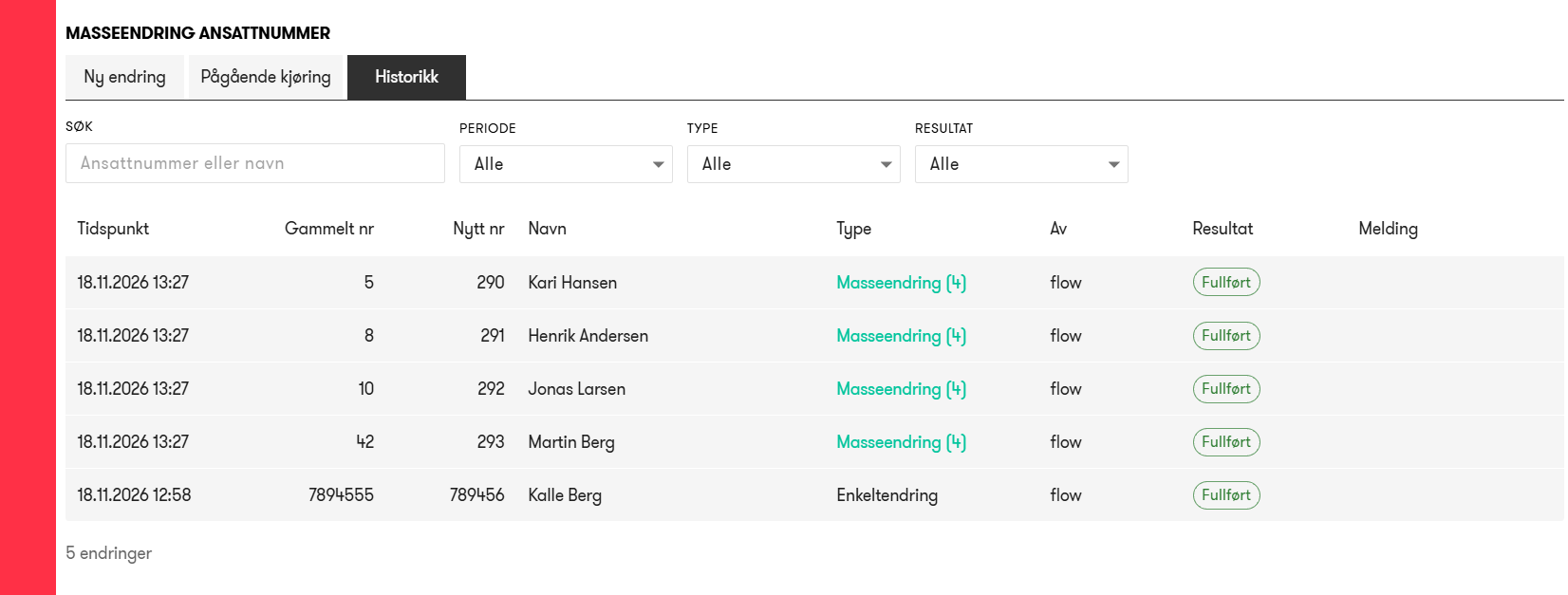
In the History tab, you get an overview of completed changes to employee numbers, when it was done, and by whom.
With this functionality available and improved in Flow, it is no longer necessary or possible to use the old Classic Tid appllication to change employee numbers.
Improvements
Hours - Right to make corrections in locked periods
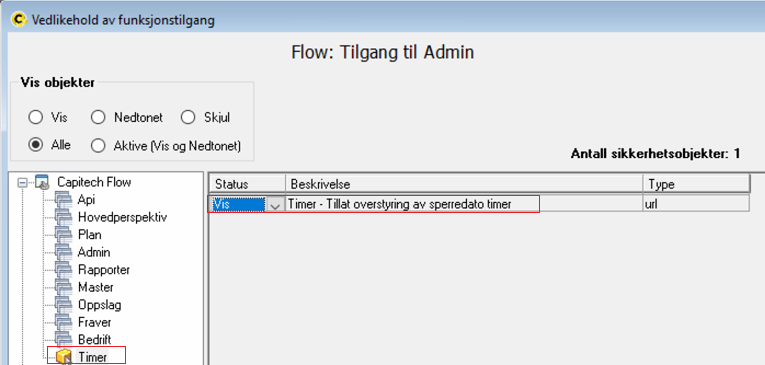
To make it easier for, e.g., payroll managers or Superusers, support has been added to enable the right to correct time entries independently of the closing date for hours.
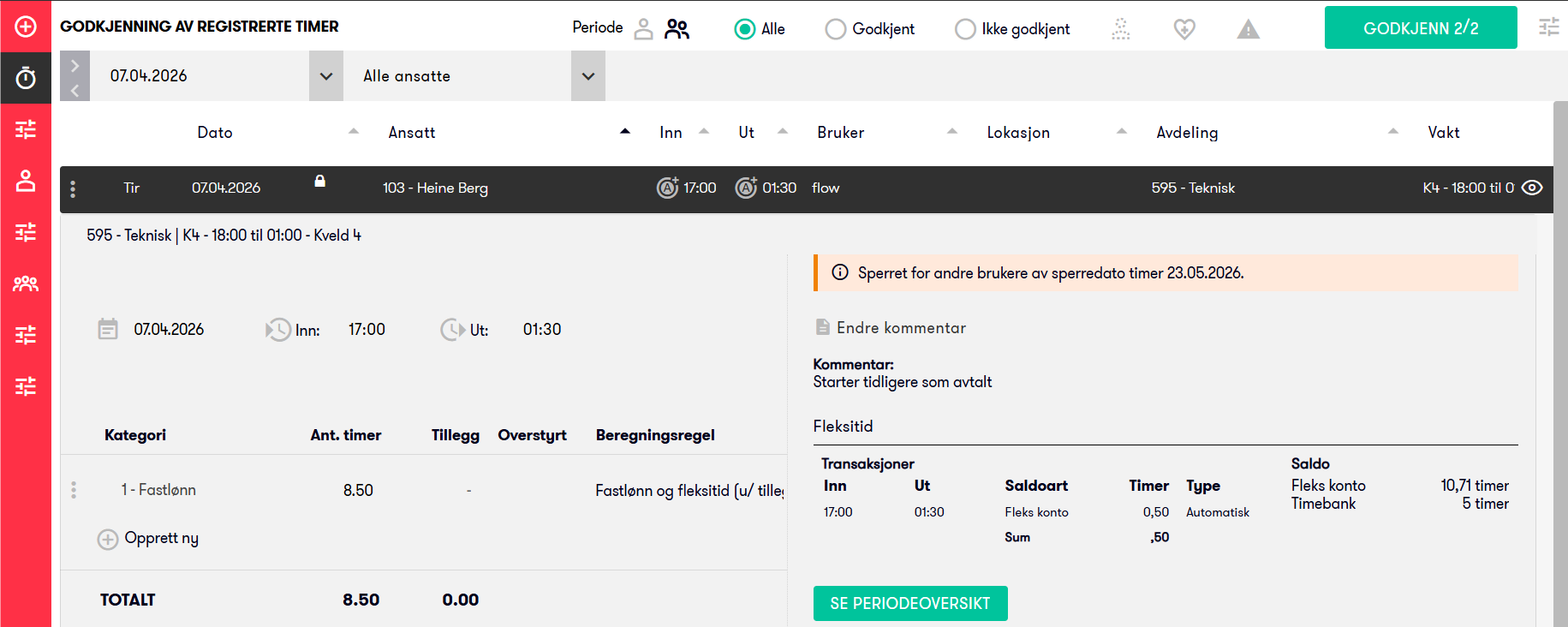
In practice, this means that payroll / Superusers can work with hours and corrections in locked periods without having to open access for all "regular" managers.
Please note that absence closing date may need to be opened to allow corrections to time registrations if flexitime is enabled.
No roles or users receive this access by default; activate according to the organization's needs.
Menus - Custom links
You can choose for each individual custom link whether it should be displayed as a top-level menu or under the Links menu.
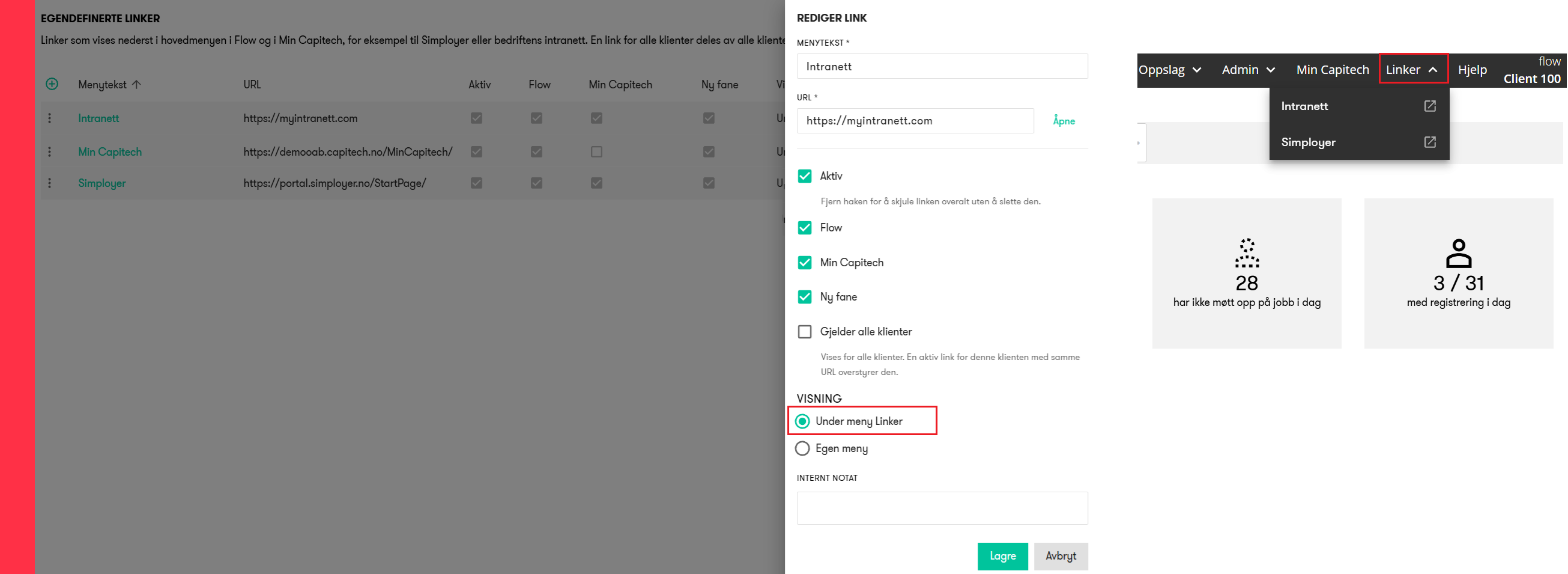
Customers who need many links can thus place most of them under Links and only keep the most central ones, if any, as separate top-level menus.
Admin - Terminals - Location
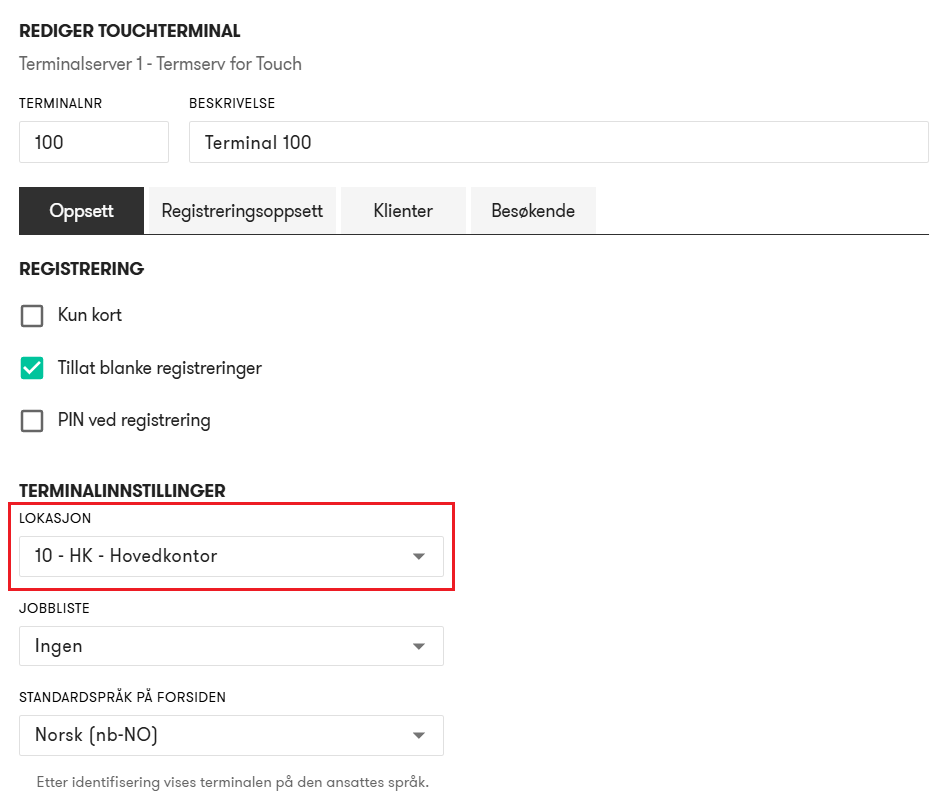
You can now, if needed, specify a location for each terminal so that all registrations from the terminal automatically gets the given location.
Hours - Work shift
When changing the In time on an existing time registration with a work shift, the works shift is now recalculated upon saving. This ensures that you automatically get the correct work shift according to the new time without having to select it manually when editing the time registration.
Supported when changing In time both in My Capitech, in Flow Hours, and via public API.
Bug fixes
Hours | Manual unlocking of locked transaction
Fixed an error where, when manually unlocking a locked time registration after an extended payroll export, you could not perform multiple corrections. Now you can correct the hours, change dimensions, and optional free text, and have all changes saved before locking is automatically re-enabled.
Employee | Anonymization
Fixed an error where employee anonymization in certain situations could fail and not complete normally.
Operational Plan | Filter yielding no shifts
If you set a filter that does not show any shifts, the spinner icon would keep spinning endlessly. This has now been fixed so that the spinner stops immediately if you set a filter that results in no shifts being displayed.
Base Schedule | Shorten rollout with new end date
Fixed an error where, in special cases, you could get the error message "Could not roll back shift rotation from operational plan".
Calculation rules Hours | Date management crossing year-end for all years
Fixed an issue where date management of validity from for example 01.10 to 31.03 (crosses year-end) with "applies to all years" and not a specific year did not work as expected.